
4.0.0-SNAPSHOT
Introduction

This document discusses Apache TinkerPop™ implementation details that are most useful to developers who implement TinkerPop interfaces and the Gremlin language. This document may also be helpful to Gremlin users who simply want a deeper understanding of how TinkerPop works and what the behavioral semantics of Gremlin are. The Provider Section outlines the various integration and extension points that TinkerPop has while the Gremlin Semantics Section documents the Gremlin language itself.
Providers who rely on the TinkerPop execution engine generally receive the behaviors described in the Gremlin Semantics section for free, but those who develop their own engine or extend upon the certain features should refer to that section for the details required for a consistent Gremlin experience.
Provider Documentation
TinkerPop exposes a set of interfaces, protocols, and tests that make it possible for third-parties to build libraries and systems that plug-in to the TinkerPop stack. TinkerPop refers to those third-parties as "providers" and this documentation is designed to help providers understand what is involved in developing code on these lower levels of the TinkerPop API.
This document attempts to address the needs of the different providers that have been identified:
-
Graph System Provider
-
Graph Database Provider
-
Graph Processor Provider
-
-
Graph Driver Provider
-
Graph Language Provider
-
Graph Plugin Provider
Graph System Provider Requirements
 At the core of TinkerPop 3.x is a Java API. The implementation of this
core API and its validation via the
At the core of TinkerPop 3.x is a Java API. The implementation of this
core API and its validation via the gremlin-test suite is all that is required of a graph system provider wishing to
provide a TinkerPop-enabled graph engine. Once a graph system has a valid implementation, then all the applications
provided by TinkerPop (e.g. Gremlin Console, Gremlin Server, etc.) and 3rd-party developers (e.g. Gremlin-Scala,
Gremlin-JS, etc.) will integrate properly. Finally, please feel free to use the logo on the left to promote your
TinkerPop implementation.
Graph Structure API
The graph structure API of TinkerPop provides the interfaces necessary to create a TinkerPop enabled system and
exposes the basic components of a property graph to include Graph, Vertex, Edge, VertexProperty and Property.
The structure API can be used directly as follows:
Graph graph = TinkerGraph.open(); (1)
Vertex marko = graph.addVertex(T.label, "person", T.id, 1, "name", "marko", "age", 29); (2)
Vertex vadas = graph.addVertex(T.label, "person", T.id, 2, "name", "vadas", "age", 27);
Vertex lop = graph.addVertex(T.label, "software", T.id, 3, "name", "lop", "lang", "java");
Vertex josh = graph.addVertex(T.label, "person", T.id, 4, "name", "josh", "age", 32);
Vertex ripple = graph.addVertex(T.label, "software", T.id, 5, "name", "ripple", "lang", "java");
Vertex peter = graph.addVertex(T.label, "person", T.id, 6, "name", "peter", "age", 35);
marko.addEdge("knows", vadas, T.id, 7, "weight", 0.5f); (3)
marko.addEdge("knows", josh, T.id, 8, "weight", 1.0f);
marko.addEdge("created", lop, T.id, 9, "weight", 0.4f);
josh.addEdge("created", ripple, T.id, 10, "weight", 1.0f);
josh.addEdge("created", lop, T.id, 11, "weight", 0.4f);
peter.addEdge("created", lop, T.id, 12, "weight", 0.2f);-
Create a new in-memory
TinkerGraphand assign it to the variablegraph. -
Create a vertex along with a set of key/value pairs with
T.labelbeing the vertex label andT.idbeing the vertex id. -
Create an edge along with a set of key/value pairs with the edge label being specified as the first argument.
In the above code all the vertices are created first and then their respective edges. There are two "accessor tokens":
T.id and T.label. When any of these, along with a set of other key value pairs is provided to
Graph.addVertex(Object…) or Vertex.addEdge(String,Vertex,Object…), the respective element is created along
with the provided key/value pair properties appended to it.
Below is a sequence of basic graph mutation operations represented in Java:
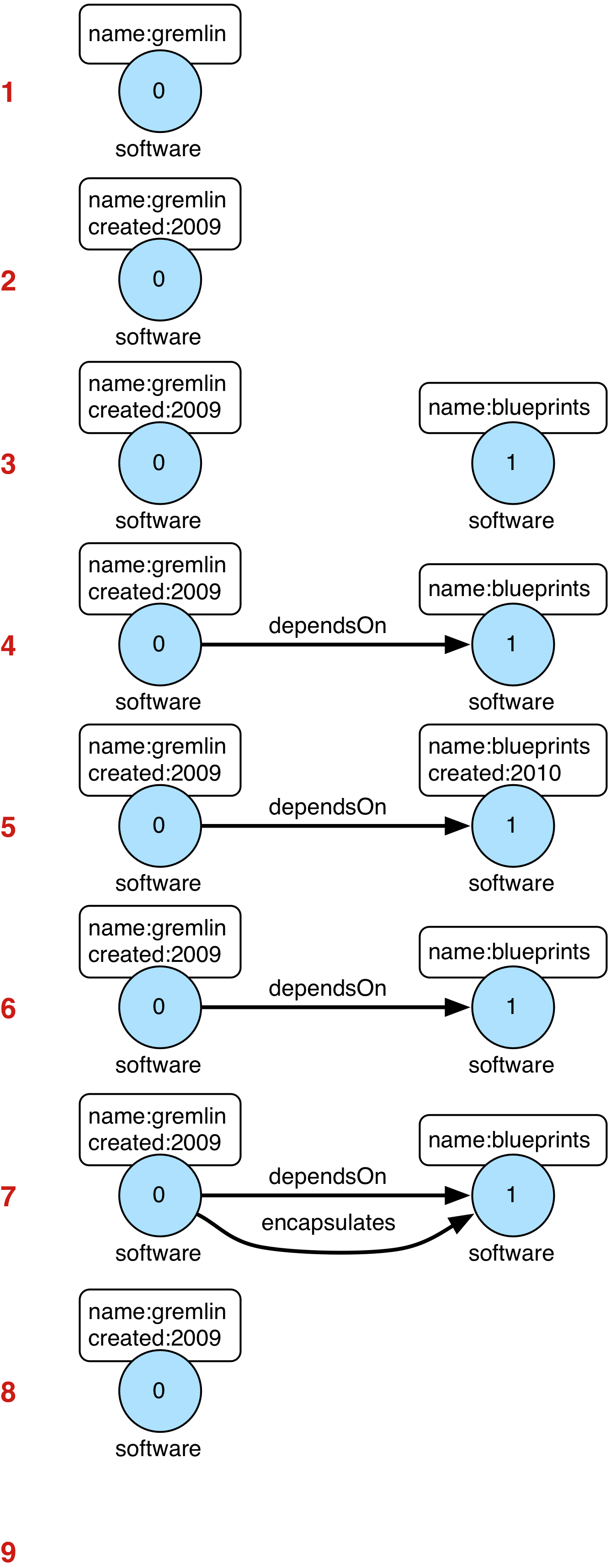
// create a new graph
Graph graph = TinkerGraph.open();
// add a software vertex with a name property
Vertex gremlin = graph.addVertex(T.label, "software",
                             "name", "gremlin"); (1)
// only one vertex should exist
assert(IteratorUtils.count(graph.vertices()) == 1)
// no edges should exist as none have been created
assert(IteratorUtils.count(graph.edges()) == 0)
// add a new property
gremlin.property("created",2009) (2)
// add a new software vertex to the graph
Vertex blueprints = graph.addVertex(T.label, "software",
                                "name", "blueprints"); (3)
// connect gremlin to blueprints via a dependsOn-edge
gremlin.addEdge("dependsOn",blueprints); (4)
// now there are two vertices and one edge
assert(IteratorUtils.count(graph.vertices()) == 2)
assert(IteratorUtils.count(graph.edges()) == 1)
// add a property to blueprints
blueprints.property("created",2010) (5)
// remove that property
blueprints.property("created").remove() (6)
// connect gremlin to blueprints via encapsulates
gremlin.addEdge("encapsulates",blueprints) (7)
assert(IteratorUtils.count(graph.vertices()) == 2)
assert(IteratorUtils.count(graph.edges()) == 2)
// removing a vertex removes all its incident edges as well
blueprints.remove() (8)
gremlin.remove() (9)
// the graph is now empty
assert(IteratorUtils.count(graph.vertices()) == 0)
assert(IteratorUtils.count(graph.edges()) == 0)
// tada!
The above code samples are just examples of how the structure API can be used to access a graph. Those APIs are then used internally by the process API (i.e. Gremlin) to access any graph that implements those structure API interfaces to execute queries. Typically, the structure API methods are not used directly by end-users.
Implementing Gremlin-Core
The classes that a graph system provider should focus on implementing are itemized below. It is a good idea to study
the TinkerGraph (in-memory OLTP and OLAP
in tinkergraph-gremlin) and/or
HadoopGraph (OLAP in hadoop-gremlin)
implementations for ideas and patterns.
-
Online Transactional Processing Graph Systems (OLTP)
-
Structure API:
Graph,Element,Vertex,Edge,PropertyandTransaction(if transactions are supported). -
Process API:
TraversalStrategyinstances for optimizing Gremlin traversals to the provider’s graph system (i.e.TinkerGraphStepStrategy).
-
-
Online Analytics Processing Graph Systems (OLAP)
-
Everything required of OLTP is required of OLAP (but not vice versa).
-
GraphComputer API:
GraphComputer,Messenger,Memory.
-
Please consider the following implementation notes:
-
Use
StringHelperto ensuring that thetoString()representation of classes are consistent with other implementations. -
Ensure that your implementation’s
Features(Graph, Vertex, etc.) are correct so that test cases handle particulars accordingly. -
Use the numerous static method helper classes such as
ElementHelper,GraphComputerHelper,VertexProgramHelper, etc. -
There are a number of default methods on the provided interfaces that are semantically correct. However, if they are not efficient for the implementation, override them.
-
Implement the
structure/package interfaces first and then, if desired, interfaces in theprocess/package interfaces. -
ComputerGraphis aWrappersystem that ensure proper semantics during a GraphComputer computation. -
The javadoc is often a good resource in understanding expectations from both the user’s perspective as well as the graph provider’s perspective. Also consider examining the javadoc of TinkerGraph which is often well annotated and the interfaces and classes of the test suite itself.
OLTP Implementations
 The most important interfaces to implement are in the
 structure/
package. These include interfaces like Graph, Vertex, Edge, Property, Transaction, etc. The
StructureStandardSuite will ensure that the semantics of the methods implemented are correct. Moreover, there are
numerous Exceptions classes with static exceptions that should be thrown by the graph system so that all the
exceptions and their messages are consistent amongst all TinkerPop implementations.
The following bullets provide some tips to consider when implementing the structure interfaces:
-
Graph-
Be sure the
Graphimplementation is named asXXXGraph(e.g. TinkerGraph, HadoopGraph, etc.). -
This implementation needs to be
GraphFactorycompatible which means that the implementation should have a staticGraph open(Configuration)method where theConfigurationis an Apache Commons class of that name. Alternatively, theGraphimplementation can have theGraphFactoryClassannotation which specifies a class with that staticGraph open(Configuration)method.
-
-
Vertex-
Providers must opt into a specific
VertexLabelCardinalityofONE,ONE_OR_MORE, orZERO_OR_MORE. Any graph supporting aVertexLabelCardinalityofONE_OR_MORE, orZERO_OR_MOREmust use aVerteximplementation which overrides the defaultElement.labels(),Element.addLabel(String, String…),Element.dropLabel(String, String…), andElement.dropLabels()methods. See the Vertex Labels reference docs for more details.
-
-
VertexProperty-
This interface is both a
Propertyand anElementasVertexPropertyis a first-class graph element in that it can have its own properties (i.e. meta-properties). Even if the implementation does not intend to support meta-properties, theVertexPropertyneeds to be implemented as anElement.VertexPropertyshould return empty iterable for properties if meta-properties is not supported.
-
OLAP Implementations
 Implementing the OLAP interfaces may be a bit more complicated.
Note that before OLAP interfaces are implemented, it is necessary for the OLTP interfaces to be, at minimal,
implemented as specified in OLTP Implementations. A summary of each required interface
implementation is presented below:
Implementing the OLAP interfaces may be a bit more complicated.
Note that before OLAP interfaces are implemented, it is necessary for the OLTP interfaces to be, at minimal,
implemented as specified in OLTP Implementations. A summary of each required interface
implementation is presented below:
-
GraphComputer: A fluent builder for specifying an isolation level, a VertexProgram, and any number of MapReduce jobs to be submitted. -
Memory: A global blackboard for ANDing, ORing, INCRing, and SETing values for specified keys. -
Messenger: The system that collects and distributes messages being propagated by vertices executing the VertexProgram application. -
MapReduce.MapEmitter: The system that collects key/value pairs being emitted by the MapReduce applications map-phase. -
MapReduce.ReduceEmitter: The system that collects key/value pairs being emitted by the MapReduce applications combine- and reduce-phases.
|
Note
|
The VertexProgram and MapReduce interfaces in the process/computer/ package are not required by the graph
system. Instead, these are interfaces to be implemented by application developers writing VertexPrograms and MapReduce jobs.
|
|
Important
|
TinkerPop provides two OLAP implementations: TinkerGraphComputer (TinkerGraph), and SparkGraphComputer (Hadoop). Given the complexity of the OLAP system, it is good to study and copy many of the patterns used in these reference implementations. |
Implementing GraphComputer
 The most complex method in GraphComputer is the
 submit()-method. The method must do the following:
-
Ensure the GraphComputer has not already been executed.
-
Ensure that at least there is a VertexProgram or 1 MapReduce job.
-
If there is a VertexProgram, validate that it can execute on the GraphComputer given the respectively defined features.
-
Create the Memory to be used for the computation.
-
Execute the VertexProgram.setup() method once and only once.
-
Execute the VertexProgram.execute() method for each vertex.
-
Execute the VertexProgram.terminate() method once and if true, repeat VertexProgram.execute().
-
When VertexProgram.terminate() returns true, move to MapReduce job execution.
-
MapReduce jobs are not required to be executed in any specified order.
-
For each Vertex, execute MapReduce.map(). Then (if defined) execute MapReduce.combine() and MapReduce.reduce().
-
Update Memory with runtime information.
-
Construct a new
ComputerResultcontaining the compute Graph and Memory.
Implementing Memory
 The Memory object is initially defined by
 VertexProgram.setup().
The memory data is available in the first round of the VertexProgram.execute() method. Each Vertex, when executing
the VertexProgram, can update the Memory in its round. However, the update is not seen by the other vertices until
the next round. At the end of the first round, all the updates are aggregated and the new memory data is available
on the second round. This process repeats until the VertexProgram terminates.
Implementing Messenger
The Messenger object is similar to the Memory object in that a vertex can read and write to the Messenger. However, the data it reads are the messages sent to the vertex in the previous step and the data it writes are the messages that will be readable by the receiving vertices in the subsequent round.
Implementing MapReduce Emitters
 The MapReduce framework in TinkerPop is similar to the model
popularized by Hadoop. The primary difference is that all Mappers process the vertices
of the graph, not an arbitrary key/value pair. However, the vertices' edges can not be accessed — only their
properties. This greatly reduces the amount of data needed to be pushed through the MapReduce engine as any edge
information required, can be computed in the VertexProgram.execute() method. Moreover, at this stage, vertices can
not be mutated, only their token and property data read. A Gremlin OLAP system needs to provide implementations for
to particular classes:
The MapReduce framework in TinkerPop is similar to the model
popularized by Hadoop. The primary difference is that all Mappers process the vertices
of the graph, not an arbitrary key/value pair. However, the vertices' edges can not be accessed — only their
properties. This greatly reduces the amount of data needed to be pushed through the MapReduce engine as any edge
information required, can be computed in the VertexProgram.execute() method. Moreover, at this stage, vertices can
not be mutated, only their token and property data read. A Gremlin OLAP system needs to provide implementations for
to particular classes: MapReduce.MapEmitter and MapReduce.ReduceEmitter. TinkerGraph’s implementation is provided
below which demonstrates the simplicity of the algorithm (especially when the data is all within the same JVM).
public class TinkerMapEmitter<K, V> implements MapReduce.MapEmitter<K, V> {

    public Map<K, Queue<V>> reduceMap;
    public Queue<KeyValue<K, V>> mapQueue;
    private final boolean doReduce;

    public TinkerMapEmitter(final boolean doReduce) { (1)
        this.doReduce = doReduce;
        if (this.doReduce)
            this.reduceMap = new ConcurrentHashMap<>();
        else
            this.mapQueue = new ConcurrentLinkedQueue<>();
    }

    @Override
    public void emit(K key, V value) {
        if (this.doReduce)
            this.reduceMap.computeIfAbsent(key, k -> new ConcurrentLinkedQueue<>()).add(value); (2)
        else
            this.mapQueue.add(new KeyValue<>(key, value)); (3)
    }

    protected void complete(final MapReduce<K, V, ?, ?, ?> mapReduce) {
        if (!this.doReduce && mapReduce.getMapKeySort().isPresent()) { (4)
            final Comparator<K> comparator = mapReduce.getMapKeySort().get();
            final List<KeyValue<K, V>> list = new ArrayList<>(this.mapQueue);
            Collections.sort(list, Comparator.comparing(KeyValue::getKey, comparator));
            this.mapQueue.clear();
            this.mapQueue.addAll(list);
        } else if (mapReduce.getMapKeySort().isPresent()) {
            final Comparator<K> comparator = mapReduce.getMapKeySort().get();
            final List<Map.Entry<K, Queue<V>>> list = new ArrayList<>();
            list.addAll(this.reduceMap.entrySet());
            Collections.sort(list, Comparator.comparing(Map.Entry::getKey, comparator));
            this.reduceMap = new LinkedHashMap<>();
            list.forEach(entry -> this.reduceMap.put(entry.getKey(), entry.getValue()));
        }
    }
}-
If the MapReduce job has a reduce, then use one data structure (
reduceMap), else use another (mapList). The difference being that a reduction requires a grouping by key and therefore, theMap<K,Queue<V>>definition. If no reduction/grouping is required, then a simpleQueue<KeyValue<K,V>>can be leveraged. -
If reduce is to follow, then increment the Map with a new value for the key.
MapHelperis a TinkerPop class with static methods for adding data to a Map. -
If no reduce is to follow, then simply append a KeyValue to the queue.
-
When the map phase is complete, any map-result sorting required can be executed at this point.
public class TinkerReduceEmitter<OK, OV> implements MapReduce.ReduceEmitter<OK, OV> {

    protected Queue<KeyValue<OK, OV>> reduceQueue = new ConcurrentLinkedQueue<>();

    @Override
    public void emit(final OK key, final OV value) {
        this.reduceQueue.add(new KeyValue<>(key, value));
    }

    protected void complete(final MapReduce<?, ?, OK, OV, ?> mapReduce) {
        if (mapReduce.getReduceKeySort().isPresent()) {
            final Comparator<OK> comparator = mapReduce.getReduceKeySort().get();
            final List<KeyValue<OK, OV>> list = new ArrayList<>(this.reduceQueue);
            Collections.sort(list, Comparator.comparing(KeyValue::getKey, comparator));
            this.reduceQueue.clear();
            this.reduceQueue.addAll(list);
        }
    }
}
The method MapReduce.reduce() is defined as:
public void reduce(final OK key, final Iterator<OV> values, final ReduceEmitter<OK, OV> emitter) { ... }In other words, for the TinkerGraph implementation, iterate through the entrySet of the reduceMap and call the
reduce() method on each entry. The reduce() method can emit key/value pairs which are simply aggregated into a
Queue<KeyValue<OK,OV>> in an analogous fashion to TinkerMapEmitter when no reduce is to follow. These two emitters
are tied together in TinkerGraphComputer.submit().
...
for (final MapReduce mapReduce : mapReducers) {
    if (mapReduce.doStage(MapReduce.Stage.MAP)) {
        final TinkerMapEmitter<?, ?> mapEmitter = new TinkerMapEmitter<>(mapReduce.doStage(MapReduce.Stage.REDUCE));
        final SynchronizedIterator<Vertex> vertices = new SynchronizedIterator<>(this.graph.vertices());
        workers.setMapReduce(mapReduce);
        workers.mapReduceWorkerStart(MapReduce.Stage.MAP);
        workers.executeMapReduce(workerMapReduce -> {
            while (true) {
                final Vertex vertex = vertices.next();
                if (null == vertex) return;
                workerMapReduce.map(ComputerGraph.mapReduce(vertex), mapEmitter);
            }
        });
        workers.mapReduceWorkerEnd(MapReduce.Stage.MAP);

        // sort results if a map output sort is defined
        mapEmitter.complete(mapReduce);

        // no need to run combiners as this is single machine
        if (mapReduce.doStage(MapReduce.Stage.REDUCE)) {
            final TinkerReduceEmitter<?, ?> reduceEmitter = new TinkerReduceEmitter<>();
            final SynchronizedIterator<Map.Entry<?, Queue<?>>> keyValues = new SynchronizedIterator((Iterator) mapEmitter.reduceMap.entrySet().iterator());
            workers.mapReduceWorkerStart(MapReduce.Stage.REDUCE);
            workers.executeMapReduce(workerMapReduce -> {
                while (true) {
                    final Map.Entry<?, Queue<?>> entry = keyValues.next();
                    if (null == entry) return;
                        workerMapReduce.reduce(entry.getKey(), entry.getValue().iterator(), reduceEmitter);
                    }
                });
            workers.mapReduceWorkerEnd(MapReduce.Stage.REDUCE);
            reduceEmitter.complete(mapReduce); // sort results if a reduce output sort is defined
            mapReduce.addResultToMemory(this.memory, reduceEmitter.reduceQueue.iterator()); (1)
        } else {
            mapReduce.addResultToMemory(this.memory, mapEmitter.mapQueue.iterator()); (2)
        }
    }
}
...-
Note that the final results of the reducer are provided to the Memory as specified by the application developer’s
MapReduce.addResultToMemory()implementation. -
If there is no reduce stage, the map-stage results are inserted into Memory as specified by the application developer’s
MapReduce.addResultToMemory()implementation.
Hadoop-Gremlin Usage
Hadoop-Gremlin is centered around InputFormats and OutputFormats. If a 3rd-party graph system provider wishes to
leverage Hadoop-Gremlin (and its respective GraphComputer engines), then they need to provide, at minimum, a
Hadoop2 InputFormat<NullWritable,VertexWritable> for their graph system. If the provider wishes to persist computed
results back to their graph system (and not just to HDFS via a FileOutputFormat), then a graph system specific
OutputFormat<NullWritable,VertexWritable> must be developed as well.
Conceptually, HadoopGraph is a wrapper around a Configuration object. There is no "data" in the HadoopGraph as
the InputFormat specifies where and how to get the graph data at OLAP (and OLTP) runtime. Thus, HadoopGraph is a
small object with little overhead. Graph system providers should realize HadoopGraph as the gateway to the OLAP
features offered by Hadoop-Gremlin. For example, a graph system specific Graph.compute(Class<? extends GraphComputer>
graphComputerClass)-method may look as follows:
public <C extends GraphComputer> C compute(final Class<C> graphComputerClass) throws IllegalArgumentException {
  try {
    if (AbstractHadoopGraphComputer.class.isAssignableFrom(graphComputerClass))
      return graphComputerClass.getConstructor(HadoopGraph.class).newInstance(this);
    else
      throw Graph.Exceptions.graphDoesNotSupportProvidedGraphComputer(graphComputerClass);
  } catch (final Exception e) {
    throw new IllegalArgumentException(e.getMessage(),e);
  }
}
Note that the configurations for Hadoop are assumed to be in the Graph.configuration() object. If this is not the
case, then the Configuration provided to HadoopGraph.open() should be dynamically created within the
compute()-method. It is in the provided configuration that HadoopGraph gets the various properties which
determine how to read and write data to and from Hadoop. For instance, gremlin.hadoop.graphReader and
gremlin.hadoop.graphWriter.
GraphFilterAware Interface
Graph filters by OLAP processors to only pull a subgraph of the full graph from the graph data source. For instance, the
example below constructs a GraphFilter that will only pull the "knows"-graph amongst people into the GraphComputer
for processing.
graph.compute().vertices(hasLabel("person")).edges(bothE("knows"))If the provider has a custom InputRDD, they can implement GraphFilterAware and that graph filter will be provided to their
InputRDD at load time. For providers that use an InputFormat, state but the graph filter can be accessed from the configuration
as such:
if (configuration.containsKey(Constants.GREMLIN_HADOOP_GRAPH_FILTER))
  this.graphFilter = VertexProgramHelper.deserialize(configuration, Constants.GREMLIN_HADOOP_GRAPH_FILTER);
PersistResultGraphAware Interface
A graph system provider’s OutputFormat should implement the PersistResultGraphAware interface which
determines which persistence options are available to the user. For the standard file-based OutputFormats provided
by Hadoop-Gremlin (e.g. GryoOutputFormat, GraphSONOutputFormat,
and ScriptInputOutputFormat) ResultGraph.ORIGINAL is not supported as the original graph
data files are not random access and are, in essence, immutable. Thus, these file-based OutputFormats only support
ResultGraph.NEW which creates a copy of the data specified by the Persist enum.
IO Implementations
If a Graph requires custom serializers for IO to work properly, implement the Graph.io method. A typical example
of where a Graph would require such a custom serializers is if their identifier system uses non-primitive values,
such as OrientDB’s Rid class. From basic serialization of a single Vertex all the way up the stack to Gremlin
Server, the need to know how to handle these complex identifiers is an important requirement.
The first step to implementing custom serializers is to first implement the IoRegistry interface and register the
custom classes and serializers to it. Each Io implementation has different requirements for what it expects from the
IoRegistry:
-
GraphML - No custom serializers expected/allowed.
-
GraphSON - Register a Jackson
SimpleModule. TheSimpleModuleencapsulates specific classes to be serialized, so it does not need to be registered to a specific class in theIoRegistry(usenull). -
Gryo - Expects registration of one of three objects:
-
Register just the custom class with a
nullKryoSerializerimplementation - this class will use default "field-level" Kryo serialization. -
Register the custom class with a specific Kryo `Serializer' implementation.
-
Register the custom class with a
Function<Kryo, Serializer>for those cases where the KryoSerializerrequires theKryoinstance to get constructed.
-
This implementation should provide a zero-arg constructor as the stack may require instantiation via reflection.
Consider extending AbstractIoRegistry for convenience as follows:
public class MyGraphIoRegistry extends AbstractIoRegistry {
    public MyGraphIoRegistry() {
        register(GraphSONIo.class, null, new MyGraphSimpleModule());
        register(GryoIo.class, MyGraphIdClass.class, new MyGraphIdSerializer());
    }
}
In the Graph.io method, provide the IoRegistry object to the supplied Builder and call the create method to
return that Io instance as follows:
public <I extends Io> I io(final Io.Builder<I> builder) {
    return (I) builder.graph(this).registry(myGraphIoRegistry).create();
}}
In this way, Graph implementations can pre-configure custom serializers for IO interactions and users will not need
to know about those details. Following this pattern will ensure proper execution of the test suite as well as
simplified usage for end-users.
|
Important
|
Proper implementation of IO is critical to successful Graph operations in Gremlin Server. The Test Suite
does have "serialization" tests that provide some assurance that an implementation is working properly, but those
tests cannot make assertions against any specifics of a custom serializer. It is the responsibility of the
implementer to test the specifics of their custom serializers.
|
|
Tip
|
Consider separating serializer code into its own module, if possible, so that clients that use the Graph
implementation remotely don’t need a full dependency on the entire Graph - just the IO components and related
classes being serialized.
|
There is an important implication to consider when the addition of a custom serializer. Presumably, the custom
serializer was written for the JVM to be deployed with a Graph instance. For example, a graph may expose a
geographical type like a Point or something similar. The library that contains Point assuming users expected to
deserialize back to a Point would need to have the library with Point and the “PointSerializer” class available
to them. In cases where that deployment approach is not desirable, it is possible to coerce a class like Point to
a type that is already in the list of types supported in TinkerPop. For example, Point could be coerced one-way to
Map of keys "x" and "y". Of course, on the client side, users would have to construct a Map for a Point which
isn’t quite as user-friendly.
If doing a type coercion is not desired, then it is important to remember that writing a Point class and related
serializer in Java is not sufficient for full support of Gremlin, as users of non-JVM Gremlin Language Variants (GLV)
will not be able to consume them. Getting full support would mean writing similar classes for each GLV. While
developing those classes is not hard, it also means more code to support.
Supporting Gremlin-Python IO
The serialization system of Gremlin-Python provides ways to add new types by creating serializers and deserializers in
Python and registering them with the RemoteConnection.
class MyType(object):
  GRAPHSON_PREFIX = "providerx"
  GRAPHSON_BASE_TYPE = "MyType"
  GRAPHSON_TYPE = GraphSONUtil.formatType(GRAPHSON_PREFIX, GRAPHSON_BASE_TYPE)

  def __init__(self, x, y):
    self.x = x
    self.y = y

  @classmethod
  def objectify(cls, value, reader):
    return cls(value['x'], value['y'])

  @classmethod
  def dictify(cls, value, writer):
    return GraphSONUtil.typedValue(cls.GRAPHSON_BASE_TYPE,
                                  {'x': value.x, 'y': value.y},
                                  cls.GRAPHSON_PREFIX)

graphson_reader = GraphSONReader({MyType.GRAPHSON_TYPE: MyType})
graphson_writer = GraphSONWriter({MyType: MyType})

connection = DriverRemoteConnection('http://localhost:8182/gremlin', 'g',
                                     graphson_reader=graphson_reader,
                                     graphson_writer=graphson_writer)
Supporting Gremlin.Net IO
The serialization system of Gremlin.Net provides ways to add new types by creating serializers and deserializers in
any .NET language and registering them with the GremlinClient.
Unresolved directive in index.asciidoc - include::../../../../gremlin-dotnet/test/Gremlin.Net.IntegrationTest/Docs/Dev/Provider/IndexTests.cs[tags=myTypeSerialization]

Unresolved directive in index.asciidoc - include::../../../../gremlin-dotnet/test/Gremlin.Net.IntegrationTest/Docs/Dev/Provider/IndexTests.cs[tags=supportingGremlinNetIO]
RemoteConnection Implementations
A RemoteConnection is an interface that is important for usage on traversal sources configured using the
with() option. A Traversal
that is generated from that source will apply a RemoteStrategy which will inject a RemoteStep to its end. That
step will then send the GremlinLang of the Traversal over the RemoteConnection to get the results that it will
iterate.
There is one method to implement on RemoteConnection:
public <E> CompletableFuture<RemoteTraversal<?, E>> submitAsync(final GremlinLang gremlinLang) throws RemoteConnectionException;Note that it returns a RemoteTraversal. This interface should also be implemented and in most cases implementers can
simply extend the AbstractRemoteTraversal.
TinkerPop provides the DriverRemoteConnection as a useful and
example implementation.
DriverRemoteConnection serializes the Traversal as GremlinLang and then submits it for remote processing on
Gremlin Server. Gremlin Server parses the script into a Traversal to a configured Graph instance and then iterates
the results back as it would normally do.
Implementing RemoteConnection is not something routinely done for those implementing gremlin-core. It is only
something required if there is a need to exploit remote traversal submission. If a graph provider has a "graph server"
similar to Gremlin Server that can accept traversal-based requests on its own protocol, then that would be one example
of a reason to implement this interface.
Bulk Import Export
When it comes to doing "bulk" operations, the diverse nature of the available graph databases and their specific capabilities, prevents TinkerPop from doing a good job of generalizing that capability well. TinkerPop thus maintains two positions on the concept of import and export:
-
TinkerPop refers users to the bulk import/export facilities of specific graph providers as they tend to be more efficient and easier to use than the options TinkerPop has tried to generalize in the past.
-
TinkerPop encourages graph providers to expose those capabilities via
g.io()and theIoStepby way of aTraversalStrategy.
That said, for graph providers that don’t have a special bulk loading feature, they can either rely on the default
OLTP (single-threaded) GraphReader and GraphWriter options that are embedded in IoStep or get a basic bulk loader
from TinkerPop using the CloneVertexProgram.
Simply provide a InputFormat and OutputFormat that can be referenced by a HadoopGraph instance as discussed
in the Reference Documentation.
Supporting Declarative Pattern Matching (TinkerGQL)
Graph providers can offer declarative pattern matching via the match(String) step by integrating the
TinkerGQL engine shipped in the optional
gql-gremlin module. TinkerGQL handles GQL MATCH parsing, query planning, and execution against any Graph
implementation through a thin set of default interface methods, so most providers can get working match() support
with only a few lines of wiring code.
Maven Dependency
Add gql-gremlin alongside your provider’s existing TinkerPop dependencies:
<dependency>
    <groupId>org.apache.tinkerpop</groupId>
    <artifactId>gql-gremlin</artifactId>
    <version>4.0.0-SNAPSHOT</version>
</dependency>
Registering the Strategy
Register GqlDeclarativeMatchStrategy.instance() in the global strategy cache from a static initializer on your
graph class. This is exactly how TinkerGraph registers TinkerGQL support:
import org.apache.tinkerpop.gremlin.gql.GqlDeclarativeMatchStrategy;
import org.apache.tinkerpop.gremlin.process.traversal.TraversalStrategies;
import org.apache.tinkerpop.gremlin.structure.Graph;

public class AcmeGraph implements Graph {

    static {
        TraversalStrategies.GlobalCache.registerStrategies(
                AcmeGraph.class,
                TraversalStrategies.GlobalCache.getStrategies(Graph.class).clone()
                        .addStrategies(GqlDeclarativeMatchStrategy.instance()));  // (1)
    }
    // ...
}-
instance()is a singleton. On first use against a given graph it lazily creates oneDefaultGqlPlannerand oneDefaultGqlExecutorfor that graph instance and caches them. All traversals on the same graph reuse that pair, so the planner’s query parse cache is shared automatically.
Providers should also evict the cached pair when the graph is closed to avoid retaining it in memory:
@Override
public void close() {
    GqlDeclarativeMatchStrategy.evict(this);  // (1)
    // ... other cleanup
}-
Removes the per-graph
DefaultGqlPlanner/DefaultGqlExecutorpair from the singleton cache.AbstractTinkerGraph.close()does this automatically for TinkerGraph-based implementations.
Performance Hints (Optional, but strongly recommended)
Without these overrides the TinkerGQL planner has no cardinality information. It treats every label count as
unknown (Long.MAX_VALUE), which causes it to pick the seed vertex arbitrarily and order extension steps without
regard to label density. On any graph of meaningful size this produces unnecessarily large intermediate result
sets and slow query execution. The fix is two method overrides.
The most common customization — and the one that requires the least code — is telling the planner about your
graph’s label cardinalities. Overriding these two methods on your Graph implementation is all that is needed
for the planner to make better join-ordering decisions:
@Override
public long countVerticesByLabel(final String label) {
    return myLabelIndex.getCount(label);  // (1)
}

@Override
public long countEdgesByLabel(final String label) {
    return myEdgeLabelIndex.getCount(label);
}-
Return
Long.MAX_VALUEif the count is unknown. The planner uses these values only for relative comparison when choosing a seed vertex and ordering extension steps — approximate counts are fine.
These hooks feed directly into `DefaultGqlPlanner’s seed-selection and step-ordering logic, so no planner replacement is needed to benefit from them.
Property Index Integration (Optional, but strongly recommended)
Without this override every MATCH query performs a full scan of all vertices regardless of any inline property
filters in the pattern. A query like MATCH (p:Person {name: $n}) will iterate every vertex in the graph and
test each one against the predicate, even if your graph has a name index that could satisfy it in a single
lookup. The planner is also unable to use index cardinalities to refine seed selection, so join ordering
degrades to label-count-only heuristics.
If your graph maintains property indexes, expose them by returning a custom Graph.Index from Graph.index().
When a MATCH pattern includes an inline property filter and the executor finds an index for that key, it
replaces the full vertex scan with a targeted index lookup. The planner also uses index cardinalities to
refine seed selection:
@Override
public Graph.Index index() {
    return new Graph.Index() {

        @Override
        public Iterator<Vertex> queryVertexIndex(final String key, final Object value) {
            return myVertexIndex.lookup(key, value);  // (1)
        }

        @Override
        public long countVertexIndex(final String key, final Object value) {
            return myVertexIndex.isIndexed(key)
                    ? myVertexIndex.count(key, value)
                    : Long.MAX_VALUE;  // (2)
        }
    };
}-
Return an empty iterator (not
null) when the key is not indexed or no match exists. -
Returning
Long.MAX_VALUEfor an un-indexed key signals both the planner and executor to fall back to a full vertex scan. Any value less thanLong.MAX_VALUE— including0— means "the index was consulted and returned this count."
Custom Executor (Native Engine Integration, Optional)
For providers whose graph has a native traversal API, the most practical advanced customization is replacing
only the executor while keeping DefaultGqlPlanner. This lets a provider get free GQL parsing and
cardinality-guided join ordering from the default planner, then translate the resulting GqlMatchPlan into
native queries rather than running DefaultGqlExecutor’s DFS over `Graph.vertices().
public class AcmeGraph implements Graph {

    private final GqlPlanner gqlPlanner = new DefaultGqlPlanner(this);  // (1)
    private final GqlExecutor gqlExecutor = new AcmeGqlExecutor(this);  // (2)

    @Override
    public GraphTraversalSource traversal() {
        return super.traversal()
                .withStrategies(GqlDeclarativeMatchStrategy.create(gqlPlanner, gqlExecutor));  // (3)
    }
    // ...
}-
The default planner is reused: it handles GQL MATCH parsing, BFS join ordering, and seed selection using the
countVerticesByLabel,countEdgesByLabel, andGraph.index()overrides already in place. -
AcmeGqlExecutorreceives aGqlMatchPlanand translates eachExtensionStepto a native traversal or query rather than callingGraph.vertices(). -
Instances are held as fields and reused so the parse cache is shared across traversals.
The contract for a GqlExecutor implementation is: for each seed vertex matching the plan’s seed label and
predicates, extend through each ExtensionStep in an order that keeps every step’s anchor variable bound
before that step executes, and emit one Element[] per complete match. Each array’s indices must match
GqlMatchPlan.getVariables(), with the seed variable at index 0. See DefaultGqlExecutor for a reference
implementation.
|
Note
|
Replacing only the planner is rarely worthwhile. Producing a valid GqlMatchPlan requires
constructing ExtensionStep objects, assigning variable index maps, and satisfying all other
invariants of that concrete class — effort comparable to writing a full executor anyway. The
Graph method hooks described above (countVerticesByLabel, countEdgesByLabel, Graph.index())
are the right way to improve plan quality because DefaultGqlPlanner already consults them when
selecting the seed and ordering steps. A custom planner is only warranted when a provider needs a
fundamentally different join strategy (such as a cost-based optimizer backed by richer statistics
than label counts). At that level of investment, consider whether replacing both planner and
executor — or bypassing gql-gremlin entirely via the DeclarativeMatchStep pattern described
below — is the cleaner path.
|
Implementing a Different Declarative Language
The GqlDeclarativeMatchStrategy pattern is not TinkerGQL-specific. Providers that want to support a different
declarative language over the match(String) step, for example openCypher, SPARQL, or a proprietary query language,
can follow the same pattern:
-
Implement
TraversalStrategy.ProviderOptimizationStrategyand in itsapply()method locate allDeclarativeMatchStepinstances in the traversal usingTraversalHelper.getStepsOfClass(). -
Replace each
DeclarativeMatchStepwith a custom step that parses the query string and executes it against the graph, emitting binding maps in the same form asGqlMatchStep. -
Register the strategy in the global cache from a static initializer, exactly as shown above for TinkerGQL.
DeclarativeMatchStep is the placeholder step inserted by the match(String) overload. The first registered
ProviderOptimizationStrategy to claim all DeclarativeMatchStep instances in a traversal wins; providers do not
need to interact with gql-gremlin at all if they supply their own end-to-end implementation.
Validating with Gremlin-Test
<!-- gremlin-tests contains test classes and gherkin tests -->
<dependency>
  <groupId>org.apache.tinkerpop</groupId>
  <artifactId>gremlin-test</artifactId>
  <version>4.0.0-SNAPSHOT</version>
</dependency>
<!-- TinkerGraph is required for validating subgraph() tests -->
<dependency>
  <groupId>org.apache.tinkerpop</groupId>
  <artifactId>tinkergraph-gremlin</artifactId>
  <version>4.0.0-SNAPSHOT</version>
</dependency>
TinkerPop provides gremlin-test, a technology test kit, that helps validate provider implementations. There is a
Gherkin-based test suite and a JVM-based test suite. The Gherkin suite is meant to test Gremlin operations and semantics
while the JVM-based suite is meant for lower-level Graph implementation validation and for Gremlin use cases that
apply to embedded operations (i.e. running Gremlin in the same JVM as the Graph implementation).
JVM Test Suite
|
Important
|
4.0.0-beta.3 Release - The final form of the TinkerPop test suite for 4.0 is not wholly settled, but going forward providers should focus on implementing the Gherkin Test Suite as opposed to the JVM suite. |
The JVM test suite is useful to graph system implementers who want to validate that their Graph implementation is
working properly and that Gremlin features specific to embedded use cases are behaving as expected. These tests do not
validate that all the semantics of the Gremlin query language are properly operating. Providers should implement the
Gherkin Test Suite for that type of validation.
If you are a remote graph database only or don’t implement the Graph API but simply expose access to the Gremlin
language then it likely makes sense to skip implementing this suite and only implemented the Gherkin suite. On the other
hand, if you do implement the Graph API or GraphComputer API, it likely makes sense to implement both these tests
and the Gherkin suite.
To implement the JVM tests, provide test case implementations as shown below, where XXX below denotes the name of the
graph implementation (e.g. TinkerGraph, HadoopGraph, etc.).
// Structure API tests which validate the core functionality of the Graph implementation.
// Start with this one because, generally speaking, if this suite passes then the others
// will mostly follow suit. Moreover, the structure tests operate on lower-level aspects
// of the Graph interfaces which are much easier to debug than Gremlin level tests.
@RunWith(StructureStandardSuite.class)
@GraphProviderClass(provider = XXXGraphProvider.class, graph = XXXGraph.class)
public class XXXStructureStandardTest {}

// Process API tests cover embedded Gremlin uses cases
@RunWith(ProcessEmbeddedStandardSuite.class)
@GraphProviderClass(provider = XXXGraphProvider.class, graph = XXXGraph.class)
public class XXXProcessStandardTest {}

@RunWith(ProcessEmbeddedComputerSuite.class)
@GraphProviderClass(provider = XXXGraphProvider.class, graph = XXXGraph.class)
public class XXXProcessComputerTest {}|
Important
|
It is as important to look at "ignored" tests as it is to look at ones that fail. The gremlin-test
suite utilizes the Feature implementation exposed by the Graph to determine which tests to execute. If a test
utilizes features that are not supported by the graph, it will ignore them. While that may be fine, implementers
should validate that the ignored tests are appropriately bypassed and that there are no mistakes in their feature
definitions. Moreover, implementers should consider filling gaps in their own test suites, especially when
IO-related tests are being ignored.
|
|
Tip
|
If it is expensive to construct a new Graph instance, consider implementing GraphProvider.getStaticFeatures()
which can help by caching a static feature set for instances produced by that GraphProvider and allow the test suite
to avoid that construction cost if the test is ignored.
|
The only test-class that requires any code investment is the GraphProvider implementation class. This class is a
used by the test suite to construct Graph configurations and instances and provides information about the
implementation itself. In most cases, it is best to simply extend AbstractGraphProvider as it provides many
default implementations of the GraphProvider interface.
Finally, specify the test suites that will be supported by the Graph implementation using the @Graph.OptIn
annotation. See the TinkerGraph implementation below as an example:
@Graph.OptIn(Graph.OptIn.SUITE_STRUCTURE_STANDARD)
@Graph.OptIn(Graph.OptIn.SUITE_PROCESS_EMBEDDED_STANDARD)
@Graph.OptIn(Graph.OptIn.SUITE_PROCESS_EMBEDDED_COMPUTER)
public class TinkerGraph implements Graph {
Only include annotations for the suites the implementation will support. Note that implementing the suite, but not specifying the appropriate annotation will prevent the suite from running (an obvious error message will appear in this case when running the mis-configured suite).
There are times when there may be a specific test in the suite that the implementation cannot support (despite the
features it implements) or should not otherwise be executed. It is possible for implementers to "opt-out" of a test
by using the @Graph.OptOut annotation. This annotation can be applied to either a Graph instance or a
GraphProvider instance (the latter would typically be used for "opting out" for a particular Graph configuration
that was under test). The following is an example of this annotation usage as taken from HadoopGraph:
@Graph.OptIn(Graph.OptIn.SUITE_PROCESS_EMBEDDED_STANDARD)
@Graph.OptIn(Graph.OptIn.SUITE_PROCESS_EMBEDDED_COMPUTER)
@Graph.OptOut(
        test = "org.apache.tinkerpop.gremlin.process.graph.step.map.MatchTest$Traversals",
        method = "g_V_matchXa_hasXname_GarciaX__a_inXwrittenByX_b__a_inXsungByX_bX",
        reason = "Hadoop-Gremlin is OLAP-oriented and for OLTP operations, linear-scan joins are required. This particular tests takes many minutes to execute.")
@Graph.OptOut(
        test = "org.apache.tinkerpop.gremlin.process.graph.step.map.MatchTest$Traversals",
        method = "g_V_matchXa_inXsungByX_b__a_inXsungByX_c__b_outXwrittenByX_d__c_outXwrittenByX_e__d_hasXname_George_HarisonX__e_hasXname_Bob_MarleyXX",
        reason = "Hadoop-Gremlin is OLAP-oriented and for OLTP operations, linear-scan joins are required. This particular tests takes many minutes to execute.")
@Graph.OptOut(
        test = "org.apache.tinkerpop.gremlin.process.computer.GraphComputerTest",
        method = "shouldNotAllowBadMemoryKeys",
        reason = "Hadoop does a hard kill on failure and stops threads which stops test cases. Exception handling semantics are correct though.")
@Graph.OptOut(
        test = "org.apache.tinkerpop.gremlin.process.computer.GraphComputerTest",
        method = "shouldRequireRegisteringMemoryKeys",
        reason = "Hadoop does a hard kill on failure and stops threads which stops test cases. Exception handling semantics are correct though.")
public class HadoopGraph implements Graph {
The above examples show how to ignore individual tests. It is also possible to:
-
Ignore an entire test case (i.e. all the methods within the test) by setting the
methodto "*". -
Ignore a "base" test class such that test that extend from those classes will all be ignored.
-
Ignore a
GraphComputertest based on the type ofGraphComputerbeing used. Specify the "computer" attribute on theOptOut(which is an array specification) which should have a value of theGraphComputerimplementation class that should ignore that test. This attribute should be left empty for "standard" execution and by default allGraphComputerimplementations will be included in theOptOutso if there are multiple implementations, explicitly specify the ones that should be excluded.
Also note that some of the tests in the Gremlin Test Suite are parameterized tests and require an additional level of specificity to be properly ignored. To ignore these types of tests, examine the name template of the parameterized tests. It is defined by a Java annotation that looks like this:
@Parameterized.Parameters(name = "expect({0})")The annotation above shows that the name of each parameterized test will be prefixed with "expect" and have
parentheses wrapped around the first parameter (at index 0) value supplied to each test. This information can
only be garnered by studying the test set up itself. Once the pattern is determined and the specific unique name of
the parameterized test is identified, add it to the specific property on the OptOut annotation in addition to
the other arguments.
These annotations help provide users a level of transparency into test suite compliance (via the
describeGraph() utility function). It also
allows implementers to have a lot of flexibility in terms of how they wish to support TinkerPop. For example, maybe
there is a single test case that prevents an implementer from claiming support of a Feature. The implementer could
choose to either not support the Feature or to support it but "opt-out" of the test with a "reason" as to why so
that users understand the limitation.
|
Important
|
Before using OptOut be sure that the reason for using it is sound and that it is more of a last resort.
It is possible that a test from the suite doesn’t properly represent the expectations of a feature, is too broad or
narrow for the semantics it is trying to enforce or simply contains a bug. Please consider raising issues in the
developer mailing list with such concerns before assuming OptOut is the only answer.
|
|
Important
|
There are no tests that specifically validate complete compliance with Gremlin Server. Generally speaking,
a Graph that passes the full Test Suite, should be compliant with Gremlin Server. The one area where problems can
occur is in serialization. Always ensure that IO is properly implemented, that custom serializers are tested fully
and ultimately integration test the Graph with an actual Gremlin Server instance.
|
|
Warning
|
Configuring tests to run in parallel might result in errors that are difficult to debug as there is some
shared state in test execution around graph configuration. It is therefore recommended that parallelism be turned
off for the test suite (the Maven SureFire Plugin is configured this way by default). It may also be important to
include this setting, <reuseForks>false</reuseForks>, in the SureFire configuration if tests are failing in an
unexplainable way.
|
|
Warning
|
For graph implementations that require a schema, take note that TinkerPop tests were originally developed without too much concern for these types of graphs. While most tests utilize the standard toy graphs there are instances where tests will utilize their own independent schema that stands alone from all other tests. It may be necessary to create schemas specific to certain tests in those situations. |
|
Tip
|
When running the gremlin-test suite against your implementation, you may need to set build.dir as an
environment variable, depending on your project layout. Some tests require this to find a writable directory for
creating temporary files. The value is typically set to the project build directory. For example using the Maven
SureFire Plugin, this is done via the configuration argLine with -Dbuild.dir=${project.build.directory}.
|
Checking Resource Leaks
The TinkerPop query engine retrieves data by interfacing with the provider using iterators. These iterators (depending on the provider) may hold up resources in the underlying storage layer and hence, it is critical to close them after the query is finished.
TinkerPop provides you with the ability to test for such resource leaks by checking for leaks when you run the
Gremlin-Test suites against your implementation. To enable this leak detection, providers should increment the
StoreIteratorCounter whenever a resource is opened and decrement it when it is closed. A reference implementation
is provided with TinkerGraph as TinkerGraphIterator.java.
Assertions for leak detection are enabled by default when running the test suite. They can be temporarily disabled by way of a system property - simply set `-DtestIteratorLeaks=false".
Gherkin Test Suite
The Gherkin Test Suite is a language agnostic set of tests that verify Gremlin semantics. It provides a unified set of
tests that validate many TinkerPop components internally. The tests themselves can be found in gremlin-tests/features
(here)
with their syntax described in the
TinkerPop Developer Documentation.
TinkerPop provides some infrastructure for JVM-based graphs to help make it easier for providers to implement these
tests against their implementations. This infrastructure is built on cucumber-java which is a dependency of
gremlin-test. There are two main components to implementing the tests:
-
A
org.apache.tinkerpop.gremlin.features.Worldimplementation which is a class ingremlin-test. -
A JUnit test class that will act as the runner for the tests with the appropriate annotations
|
Tip
|
It may be helpful to get familiar with Cucumber before proceeding with an implementation. |
The World implementation provides context to the tests and allows providers to intercept test events that might be
important to proper execution specific to their implementations. The most important part of implementing World is
properly implementing the GraphTraversalSource getGraphTraversalSource(GraphData) method which provides to the test
the GraphTraversalSource to execute the test against.
The JUnit test class is really just the test runner. It is a simple class that must include some Cucumber annotations. The following is just an example as taken from TinkerGraph:
@RunWith(Cucumber.class)
@CucumberOptions(
        tags = "not @GraphComputerOnly and not @AllowNullPropertyValues",
        glue = { "org.apache.tinkerpop.gremlin.features" },
        features = { "classpath:/org/apache/tinkerpop/gremlin/test/features" },
        plugin = {"progress", "junit:target/cucumber.xml"},
        objectFactory = TinkerGraphFeatureTest.TinkerGraphGuiceFactory.class)
The @CucumberOptions that are used are mostly implementation-specific, so it will be up to the provider to make some
choices as to what is right for their environment. For TinkerGraph, it needed to ignore Gherkin tests with the
@GraphComputerOnly and @AllowNullPropertyValues tags (the full list of possible tags can be found
here), since this configuration was for OLTP
tests and the graph was configured without support for storing null in the graph. The "glue" will be the same for all
test implementers as it refers to a package containing TinkerPop’s test infrastructure in gremlin-test (unless of
course, a provider needs to develop their own infrastructure for some reason). The "features" is the path to the actual
Gherkin test files that should be made available locally. The files can be referenced on the classpath assuming
gremlin-test is a dependency. The "plugin" defines a JUnit style output, which happens to be understood by Maven.
The "objectFactory" is the last component. Cucumber relies on dependency injection to get a World implementation into
the test infrastructure. Providers may choose from multiple available implementations, but TinkerPop chose to use
Guice. To follow this approach, include the following module:
<dependency>
    <groupId>com.google.inject</groupId>
    <artifactId>guice</artifactId>
    <version>6.0.0</version>
    <scope>test</scope>
</dependency>
Following the TinkerGraph implementation, there are two classes to construct:
public static final class ServiceModule extends AbstractModule {
    @Override
    protected void configure() {
        bind(World.class).to(TinkerWorld.TinkerGraphWorld.class);
    }
}

public static class TinkerGraphGuiceFactory extends AbstractGuiceFactory {
    public TinkerGraphGuiceFactory() {
        super(Guice.createInjector(Stage.PRODUCTION, CucumberModules.createScenarioModule(), new ServiceModule()));
    }
}
The key here is that the TinkerWorld.TinkerGraphWorld implementation gets bound to World in the ServiceModule and
there is a TinkerGraphGuiceFactory that specifies the ServiceModule to Cucumber.
In the event that a single World configuration is insufficient, it may be necessary to develop a custom
ObjectFactory. An easy way to do this is to create a class that extends from the AbstractGuiceFactory in
gremlin-test and provide that class to the @CucumberOptions. This approach does rely on the ServiceLoader which
means it will be important to include a io.cucumber.core.backend.ObjectFactory file in META-INF/services and an
entry that registers the custom implementation. Please see the TinkerGraph test code for further information on this
approach.
If implementing the Gherkin tests, providers can choose to opt-in to the slimmed-down version of the normal JVM process test suite to help alleviate test duplication between the two frameworks:
@Graph.OptIn(Graph.OptIn.SUITE_PROCESS_EMBEDDED_STANDARD)
@Graph.OptIn(Graph.OptIn.SUITE_PROCESS_EMBEDDED_COMPUTER)
In-Depth Implementations
 The graph system implementation details presented thus far are
minimum requirements necessary to yield a valid TinkerPop implementation. However, there are other areas that a
graph system provider can tweak to provide an implementation more optimized for their underlying graph engine. Typical
areas of focus include:
The graph system implementation details presented thus far are
minimum requirements necessary to yield a valid TinkerPop implementation. However, there are other areas that a
graph system provider can tweak to provide an implementation more optimized for their underlying graph engine. Typical
areas of focus include:
-
Traversal Strategies: A TraversalStrategy can be used to alter a traversal prior to its execution. A typical example is converting a pattern of
g.V().has('name','marko')into a global index lookup for all vertices with name "marko". In this way, aO(|V|)lookup becomes anO(log(|V|)). Please reviewTinkerGraphStepStrategyfor ideas. -
Step Implementations: Every step is ultimately referenced by the
GraphTraversalinterface. It is possible to extendGraphTraversalto use a graph system specific step implementation. Note that while it is sometimes possible to develop custom step implementations by extending from a TinkerPop step (typically,AddVertexStepand otherMutatingsteps), it’s important to consider that doing so introduces some greater risk for code breaks on upgrades as opposed to other areas of the code base. As steps are more internal features of TinkerPop, they might be subject to breaking API and behavioral changes that would be less likely to be accepted by more public facing interfaces.
Graph Driver Provider Requirements

One of the roles for Gremlin Server is to provide a bridge from TinkerPop to non-JVM languages (e.g. Go, Python, etc.). Developers can build language bindings (or driver) that provide a way to submit Gremlin scripts to Gremlin Server and get back results. Given the extensible nature of Gremlin Server, it is difficult to provide an authoritative guide to developing a driver. It is however possible to describe the core communication protocol using the standard out-of-the-box configuration which should provide enough information to develop a driver for a specific language.
Gremlin Server is distributed with a configuration that utilizes HTTP with a custom API. Under this configuration, Gremlin Server accepts requests containing a Gremlin script, evaluates that script and then streams back the results in HTTP chunks.
Let’s use the incoming request to process the Gremlin script of g.V() as an example. Gremlin Server evaluates that
script, getting an Iterator of vertices as a result, and steps through each Vertex within it. The vertices are
batched together into an HTTP chunk. Each response is serialized given the requested serializer type (GraphBinary is
recommended) and written back to the requesting client immediately. Gremlin Server does not wait for the entire result
to be iterated, before sending back a response. It will send the responses as they are realized.
This approach allows for the processing of large result sets without having to serialize the entire result into memory for the response. It places a bit of a burden on the developer of the driver however, because it becomes necessary to provide a way to reconstruct the entire result on the client side from all of the individual responses that Gremlin Server returns for a single request. Again, this description of Gremlin Server’s "flow" is related to the out-of-the-box configuration. It is quite possible to construct other flows, that might be more amenable to a particular language or style of processing.
|
Note
|
TinkerPop provides a test server which may be useful for testing drivers. Details can be found here |
It is recommended but not required that a driver include a User-Agent header as part of any HTTP request to Gremlin
Server. Gremlin Server uses the user agent in building usage metrics as well as debugging. The standard format for
connection user agents is:
"[Application Name] [GLV Name].[Version] [Language Runtime Version] [OS].[Version] [CPU Architecture]"
For example:
"MyTestApplication Gremlin-Java.3.5.4 11.0.16.1 Mac_OS_X.12.6.1 aarch64"
The following section provides an in-depth description of the TinkerPop HTTP API. The HTTP API is used for communicating the requests and responses that were described earlier.
HTTP API
This section describes the TinkerPop HTTP API which should be implemented by both graph system providers and graph
driver providers. There is only one endpoint that currently needs to be supported which is POST /gremlin. This
endpoint is a Gremlin evaluator which takes in a Gremlin script request and responds with the serialized results. The
formats below use a bit of pseudo-JSON to help represent request and response bodies. The actual format of the request
and response bodies will be determined by the serializers defined via the "Accept" and "Content-Type" headers. As a
result, a generic type definition in this document like "number" could translate to a "long" for a serializer that
supports types like GraphBinary.
HTTP Request
To formulate a request to Gremlin Server, a RequestMessage needs to be constructed. The RequestMessage is a
generalized representation of a request. This message can be serialized in any fashion that is supported by Gremlin
Server, which by default is GraphBinary. An HTTP request that contains a RequestMessage has the following form:
POST /gremlin HTTP/1.1
Accept: <mimetype>
Content-Type: <mimetype>
Gremlin-Hints: <hints>

{
  "gremlin": string,
  "timeoutMillis": number,
  "parameters": string,
  "g": string,
  "language" : string,
  "materializeProperties": string,
  "bulkResults": boolean
}
An actual, complete request might look like the following:
POST /gremlin HTTP/1.1
content-length: 61
host: 127.0.0.1
content-type: application/vnd.gremlin-v4.0+json
accept-encoding: deflate
accept: application/vnd.graphbinary-v4.0
user-agent: NotAvailable Gremlin-Java.4.0.0 11.0.25 Windows_11.10.0 amd64
{
    "gremlin": "g.V()",
    "language": "gremlin-lang"
}
Expected Request HTTP Headers
| Name | Description | Required | Default |
|---|---|---|---|
Accept |
Serializer MIME types supported for the response. Must be a mimetype (see Serializers). |
No |
|
Accept-Encoding |
The requested compression algorithm of the response. Valid values: |
No |
N/A |
Authorization |
Header used with Basic authorization. |
No |
N/A |
Content-Length |
The size of the payload |
Yes |
N/A |
Content-Type |
The MIME type of the serialized body |
No |
None |
Gremlin-Hints |
A semi-colon separated list of key/value pair metadata that could be helpful to the server in processing a particular request in some way. Must be a hints (see table below). |
No |
N/A |
User-Agent |
The user agent. Follow the format specified by user agent format. |
No |
|
X-Transaction-Id |
Transaction ID that must match the |
No |
N/A |
Request Header Value Options
| Name | Options |
|---|---|
mimetype |
A MIME type listed in Serializers. |
hints |
mutations: yes, no, unknown - Indicates if the Gremlin contains steps that can mutate the graph. |
The body of the request should be a RequestMessage which is a Map. The RequestMessage should be serialized using
the serializer specified by the Content-Type header. The following are the key value pairs allowed in a
RequestMessage:
Request Message Format
| Key | Description | Value | Required |
|---|---|---|---|
gremlin |
The Gremlin query to execute. |
String containing script |
Yes |
timeoutMillis |
The maximum time a query is allowed to execute in milliseconds. |
Number between 0 and 2^31-1 |
No |
parameters |
A gremlin-lang string that encodes a map of key/value pairs used during query execution. Its usage depends on "language". For "gremlin-groovy", these are applied as script variable bindings. For "gremlin-lang", these are the query parameters. |
String containing a gremlin-lang map literal |
No |
g |
The name of the graph traversal source to which the query applies. Default: "g" |
String containing traversal source name |
No |
language |
The name of the ScriptEngine to use to parse the gremlin query. Default: "gremlin-lang" |
String containing ScriptEngine name |
No |
batchSize |
The number of results to include in each response chunk, overriding the server configured |
Number between 1 and 2^31-1 |
No |
materializeProperties |
Whether to include all properties for results. One of "tokens" or "all". |
String |
No |
bulkResults |
Whether the results should be bulked by the server (only applies to GraphBinary) |
Boolean |
No |
transactionId |
A server-generated UUID that identifies an active transaction. Must be included in all non-begin requests within that transaction. Omit for non-transactional requests and for the initial begin request. |
String |
No |
Several of these options may alternatively be supplied inside the Gremlin query itself using the with() source step
(for example g.with('timeoutMillis', 500).V()) when submitting a script. The server recognizes the following options
this way: timeoutMillis, materializeProperties, batchSize, bulkResults, and language. When the same option is
supplied both in the query via with() and as a request field, the value in the query takes precedence. The full
precedence order is: value embedded in the query via with(), then the request field, then the server/connection
default. The parameters, transactionId, g, and gremlin keys cannot be set through with() and must be supplied
as request fields; g is excluded because of the complex interactions between different script engines and
transactions.
HTTP Response
When Gremlin Server receives that request, it will decode it given the "mime type", and execute it using the
ScriptEngine specified by the language field. In this case, it will evaluate the script g.V(x).out() using the
parameters supplied in the args and stream back the results in HTTP chunks. When the chunks are combined, they will
form a single ResponseMessage. The HTTP response containing the ResponseMessage has the following form:
HTTP/1.1 200
Content-type: <mimetype>
Transfer-Encoding: chunked
Gremlin-RequestId: <uuid>
{
  "result": list,
  "status": object
}|
Note
|
While this response message is expected for all serialized responses, there may be some errors that are not
serialized. In that case, the Content-Type of the response should be application/json and the JSON should contain a
message key.
|
Response Message Format
| Key | Description | ||||||||||||||||
|---|---|---|---|---|---|---|---|---|---|---|---|---|---|---|---|---|---|
result |
A map that contains the result data.
|
||||||||||||||||
status |
A map that contains the status of the result.
|
Expected Response HTTP Headers
| Name | Description | Required | Default |
|---|---|---|---|
Content-Type |
The MIME type of the serialized body which is based on the request’s |
Yes |
N/A |
Gremlin-RequestId |
The server generated UUID that is used as a request ID. |
Yes |
N/A |
Transfer-Encoding |
The server should attempt to chunk all responses. |
No |
"chunked" |
X-Transaction-Id |
The transaction ID associated with this request. Present on all responses within a transaction, including the begin response where the server generates the ID. Not present on non-transactional responses. |
No |
N/A |
Response Header Value Options
| Name | Options |
|---|---|
mimetype |
A MIME type listed in Serializers. |
uuid |
A randomly generated UUID string. |
Response Status Codes
The following table details the HTTP status codes that Gremlin Server will send:
| Code | Name | Description |
|---|---|---|
200 |
SUCCESS |
The server successfully processed a request to completion - there are no messages remaining in this stream. |
204 |
NO CONTENT |
The server processed the request but there is no result to return (e.g. an |
206 |
PARTIAL CONTENT |
The server successfully returned some content, but there is more in the stream to arrive - wait for a |
400 |
BAD REQUEST |
There was a problem with the HTTP request. For transaction-specific cases: begin on a graph that does not support transactions, commit or rollback sent without a transaction ID, begin sent with a user-supplied transaction ID, or graph alias mismatch within a transaction. |
401 |
UNAUTHORIZED |
The request attempted to access resources that the requesting user did not have access to. |
403 |
FORBIDDEN |
The server could authenticate the request, but will not fulfill it. |
404 |
NOT FOUND |
The server was unable to find the requested resource. Also returned when a |
405 |
METHOD NOT ALLOWED |
The request used an unsupported method. The server only supports POST. |
413 |
REQUEST ENTITY TOO LARGE |
The request was too large or the query could not be compiled due to size limitations. |
500 |
INTERNAL SERVER ERROR |
A general server error occurred that prevented the request from being processed. |
503 |
SERVICE UNAVAILABLE |
The server has reached its maximum number of concurrent transactions and cannot accept a new begin request. |
505 |
HTTP VERSION NOT SUPPORTED |
A server error indicating that an unsupported version of HTTP is being used. Only HTTP/1.1 is supported. |
Trailing Headers
Error responses will have trailing headers in addition to the status object in the response body. This information is
duplicated and should be the same, so graph driver providers should use whichever is easier for them. The trailers,
however, will only contain the Status and Exception without the Message.
HTTP Examples
For examples of actual requests and responses, take a look at the IO documentation for GraphSON requests and GraphSON responses.
Transactions
The HTTP API supports multi-request transactions that allow a client to group multiple Gremlin requests into a single
atomic unit of work. Transaction lifecycle is controlled using standard Gremlin syntax (g.tx().begin(),
g.tx().commit(), g.tx().rollback()) and all requests flow through the same POST /gremlin endpoint.
Protocol Flow
A transaction follows this sequence:
-
The client sends
g.tx().begin()with notransactionId. The request body must include thegfield to identify the target traversal source. -
The server opens a transaction against the specified graph, generates a String as the transaction ID, and returns it in both the response body (as a
transactionIdfield in a map) and theX-Transaction-Idresponse header. -
For all subsequent requests within the transaction, the client must include the transaction ID in both the
X-Transaction-Idrequest header and thetransactionIdfield of the request body. -
The client closes the transaction by sending
g.tx().commit()org.tx().rollback()with the transaction ID attached.
An example begin request and response:
POST /gremlin HTTP/1.1
content-type: application/vnd.gremlin-v4.0+json
accept: application/vnd.gremlin-v4.0+json

{"gremlin": "g.tx().begin()", "g": "g"}
HTTP/1.1 200 OK
Content-Type: application/vnd.gremlin-v4.0+json
X-Transaction-Id: 3c72a3a8-be41-4a0b-88e5-a88ee6f1e8e4
{"result": {"data": [{"transactionId": "3c72a3a8-be41-4a0b-88e5-a88ee6f1e8e4"}]}}A subsequent transactional request:
POST /gremlin HTTP/1.1
content-type: application/vnd.gremlin-v4.0+json
accept: application/vnd.gremlin-v4.0+json
X-Transaction-Id: 3c72a3a8-be41-4a0b-88e5-a88ee6f1e8e4

{"gremlin": "g.addV('person').property('name','alice')", "transactionId": "3c72a3a8-be41-4a0b-88e5-a88ee6f1e8e4"}
Client-Side Host Affinity
The client is responsible for routing all requests in a transaction to the same server instance. The X-Transaction-Id
header provides a standard mechanism for load balancers to achieve sticky routing without parsing the request body.
This design is server-topology agnostic — it works identically whether the backend is a single server, a cluster with
a load balancer, or a managed service. Each server manages only its own local transaction state.
Graph Alias Locking
The graph alias (g field) specified in the begin request determines which graph instance the transaction targets. This
alias is locked for the lifetime of the transaction. If a subsequent request carries a different alias, the server
rejects it with HTTP 400. This prevents cross-graph operations within a single transaction.
Transaction Timeout and Idle Reclamation
A transaction can be bounded at three independent scopes, each disabled with 0. The timeoutMillis bounds a single
operation. The idleTransactionTimeoutMillis (default 60000ms) bounds the idle gaps between operations: how long a
transaction may remain idle, with no operation running or queued, before it is rolled back and removed; once it is
removed, a subsequent request with that transaction ID receives a 404. The maxTransactionLifetimeMillis (default 600000ms)
bounds the total age of the transaction regardless of activity, and so may end a transaction while an operation is still
running; the in-flight request then receives a 504 (TransactionException) and subsequent requests receive a 404.
The defaults bound a transaction without any operator configuration; disabling them is a deliberate choice, and a
per-request timeoutMillis is honored as sent rather than overridden by the server. How promptly a running operation is
actually interrupted when a bound fires is a property of the provider’s execution and traversal machinery, not
guaranteed by these settings.
Transaction Capacity Limits
Servers may enforce a configurable maximum number of concurrent open transactions (maxConcurrentTransactions, default
1000). When the limit is reached, new begin requests are rejected with HTTP 503. Slots are freed when transactions
close via commit, rollback, or timeout.
Error Handling Within a Transaction
If a traversal within an open transaction fails (bad syntax, runtime error, etc.), the server returns the error for that request but keeps the transaction open. The client can retry, submit other traversals, or explicitly roll back. A failed traversal does not implicitly close or roll back the transaction. Only an explicit commit, explicit rollback, or server-side timeout closes a transaction.
Thread Affinity
Graph transactions are typically ThreadLocal-bound. The server maintains a single-threaded executor per transaction
to ensure all operations execute on the same thread. This is an important implementation detail for graph system
providers whose Transaction implementation relies on thread-local state.
Implicit Transaction Management
Implicit transactions (requests without a transactionId) are not affected by any of the explicit transaction-specific
behavior described above. All graphs participate in implicit transactions regardless of whether they support explicit
transactions. The difference lies in what the server does at the boundaries:
When the graph supports explicit transactions, the server auto-commits and rolls back implicit transactions:
-
Before processing: roll back any stale open transaction to prevent state leakage between requests.
-
On success: commit the transaction after the traversal has been fully iterated and serialized.
-
On error: roll back the transaction so that partial mutations are not persisted.
When the graph does not support explicit transactions, writes are immediately durable. If a failure occurs mid-traversal, the graph may be left in a partially mutated state since rollback is not possible.
Graph system providers implementing their own server or HTTP endpoint should replicate the auto-commit/rollback behavior when their graph implementation supports explicit transactions. The commit occurs after serialization is complete but before the final response is flushed to the client, so the client only receives a success response after the data is committed. Note that because HTTP responses use chunked transfer encoding, the initial HTTP status is sent as 200 OK before iteration begins. If the commit itself fails, the error will appear in the response body status field and in the trailing HTTP headers rather than as a non-200 HTTP status code. Clients should therefore check the response body status (and trailing headers) to confirm that the transaction was committed successfully.
|
Important
|
The auto-commit/rollback logic must only apply to implicit transactions. Requests that carry a
transactionId are part of an explicit, client-managed transaction and must not be auto-committed or auto-rolled-back
by the server.
|
HTTP Request Interceptor
A graph driver may support HTTP request intercepting which provides a means for the user of your graph driver to update the headers and body of the HTTP request before it is sent to the server. This enables use cases where a graph system provider’s server implementation has additional capabilities that aren’t included in the base Gremlin Server. Although every graph system provider is expected to support the protocol defined by the TinkerPop HTTP API, this doesn’t preclude them from including additional functionality. Be aware that if you choose to not provide this functionality, then your graph driver may not have access to some graph provider’s features, or, possibly, it may not be able to connect at all.
Authentication and Authorization
By default, Gremlin Server only supports
basic HTTP authentication. This is handled by the
HttpBasicAuthenticationHandler which is the only AbstractAuthenticationHandler provided with the Gremlin Server.
Other common HTTP authentication schemes that are sent via an HTTP header can be supported by implementing a custom
AbstractAuthenticationHandler. Because the communication protocol is HTTP/1.1, authentication should be header-based
and should not include negotiation.
When basic authentication is enabled, an incoming request is intercepted before it is evaluated by the ScriptEngine.
The request is examined for an Authorization header. If one doesn’t exist then "401 Unauthorized" error response is
returned.
In addition to authenticating users at the start of a connection, Gremlin Server allows providers to authorize users on
a per request basis. If
a java class is configured that implements the
Authorizer interface,
Gremlin Server passes each request to this Authorizer. The Authorizer can deny authorization for the request by
throwing an exception and Gremlin Server returns UNAUTHORIZED (status code 401) to the client. The Authorizer
authorizes the request by returning the original request or the request with some additional constraints. Gremlin Server
proceeds with the returned request and on its turn returns the result of the request to the client. More details on
implementing authorization can be found in the
reference documentation for Gremlin Server security.
|
Note
|
While Gremlin Server supports this authorization feature it is not a feature that TinkerPop requires of graph providers as part of the agreement between client and server. |
Serializers
In order to serialize and deserialize the requests and responses, your graph driver will need to implement GraphBinary. The Gremlin Server is capable of returning both GraphBinary and GraphSON, however, GraphBinary is a more compact format which can lead to increased performance as fewer bytes need to be sent through the wire. For this reason, drivers only need to support GraphBinary. GraphSON can be used by applications that only support JSON serialization.
The following table lists the serializers supported by the Gremlin Server and their MIME types. These MIME types should
be used in the Content-Type and Accept HTTP headers.
| Name | Description | MIME type |
|---|---|---|
Untyped GraphSON 4.0 |
A JSON-based graph format |
application/vnd.gremlin-v4.0+json;types=false |
Typed GraphSON 4.0 |
A JSON-based graph format with embedded type information used for serialization |
application/vnd.gremlin-v4.0+json;types=true |
GraphBinary 4.0 |
A binary graph format |
application/vnd.graphbinary-v4.0 |
IO Tests
The IO test suite is a collection of files that contain the expected outcome of serialization of certain types. These tests can be used to determine if a particular serializer has been correctly implemented. In general, a driver should be able to "round trip" each of these types. That is, it should be able to both read from and write to those exact same bytes. Not all programming languages provide library types that will match the specification of the corresponding type defined by the serializer. In this case, it is not possible to completely round trip that type and you may skip that test. The GraphBinary test files can be found here. The Java implementation can be used as a reference on how these files can be used and its model shows the Java representation of those files.
Provider Defined Types (PDT)
Provider Defined Types let graph providers expose custom types that drivers serialize and deserialize automatically, without manual client-side configuration. PDT comes in two forms. A Composite PDT represents a type as a map of named fields and suits a type with structure, such as multiple properties or nested types. A Primitive PDT represents a type as a single opaque stringified value and suits a type better expressed as one value, such as an unsigned 32-bit integer or a provider-specific identifier.
Both forms follow the same workflow. A provider makes a type available for dehydration, and optionally hydration,
either by annotating the class directly or by registering an adapter for it. Clients configure a PDTRegistry to
enable automatic round-tripping.
Composite PDT
A Composite PDT serializes a type as a map of named fields. This is the right choice whenever a type has more than one meaningful property, or where nested provider-defined types need to be represented.
Basic Usage
Annotate a class with @ProviderDefined from the org.apache.tinkerpop.gremlin.structure.io.pdt package:
import org.apache.tinkerpop.gremlin.structure.io.pdt.ProviderDefined;

@ProviderDefined(name = "mygraph:Point")
public class Point {
    public double x;
    public double y;

    public Point(double x, double y) {
        this.x = x;
        this.y = y;
    }
}
The name attribute is a unique identifier for the type. It must not be null or empty. All GLVs reject an
empty name when a type is defined or a CompositePDT is constructed. It is strongly recommended to namespace
type names using the graph’s identifier as a prefix (e.g. "mygraph:Point"). This avoids collisions when clients
interact with multiple providers and makes the origin of a type immediately clear. By default, all fields are included.
Use includedFields or excludedFields to control which fields are serialized:
@ProviderDefined(name = "mygraph:Point", includedFields = {"x", "y"})
public class Point { ... }

// or exclude specific fields
@ProviderDefined(name = "mygraph:Person", excludedFields = {"internalId"})
public class Person { ... }|
Note
|
For annotation-based round-trip hydration (see Round-Trip Support (Dehydration and Hydration)), an annotated class must expose a no-arg
constructor, and the mapped fields must be directly settable (e.g. public fields). A class that cannot meet these
requirements, for example one with immutable final fields or no default constructor, should instead use a
CompositePDTAdapter (see Adapters for Types You Don’t Own), which gives full control over construction.
|
The serialized field set becomes a map whose keys are always strings. In statically typed GLVs (Java, .NET,
Go, and TypeScript) this is enforced by the type system. In Python the keys are validated at runtime, and a
TypeError is raised for any non-string key.
Nested Types
PDT supports nested custom types. Each nested type must also be annotated:
@ProviderDefined(name = "mygraph:Address")
public class Address {
    public String street;
    public String city;
}

@ProviderDefined(name = "mygraph:Person")
public class Person {
    public String name;
    public Address address;
}
When serialized, the address field is itself encoded as a PDT value.
Primitive PDT
A Primitive PDT represents a type as a single opaque stringified value rather than a map of fields. It suits a type that is best expressed as one value, for example an unsigned 32-bit integer or a provider-specific identifier. A Primitive PDT carries only a type name and a string value, and TinkerPop never parses or interprets the value.
A type may be registered as composite or primitive, not both. Attempting to register a type for both forms throws an error. Unlike Composite PDT, there is no annotation form for Primitive PDT. Because there is only a single value to extract, providers must always supply an adapter (see Adapters for Types You Don’t Own) rather than annotating fields.
Adapters for Types You Don’t Own
For a class that cannot be annotated, either because the provider does not own the class (e.g. java.awt.Color) or
because the type is a Primitive PDT, register an adapter instead. Composite PDT uses CompositePDTAdapter<T>,
and Primitive PDT uses PrimitivePDTAdapter<T>.
|
Note
|
A registered adapter always takes precedence over annotation-based handling on dehydration. This is consistent across all GLVs. If an adapter is registered for a type, it controls serialization regardless of whether the class is also annotated. |
Composite Adapter
Implement CompositePDTAdapter<T>:
import org.apache.tinkerpop.gremlin.structure.io.pdt.CompositePDTAdapter;

public class ColorAdapter implements CompositePDTAdapter<java.awt.Color> {

    @Override
    public String typeName() { return "mygraph:Color"; }

    @Override
    public Class<java.awt.Color> targetClass() { return java.awt.Color.class; }

    @Override
    public Map<String, Object> toFields(java.awt.Color color) {
        return Map.of("r", color.getRed(), "g", color.getGreen(),
                      "b", color.getBlue(), "a", color.getAlpha());
    }

    @Override
    public java.awt.Color fromFields(Map<String, Object> fields) {
        return new java.awt.Color((int) fields.get("r"), (int) fields.get("g"),
                                  (int) fields.get("b"), (int) fields.get("a"));
    }
}
Primitive Adapter
Implement PrimitivePDTAdapter<T>:
public class Uint32Adapter implements PrimitivePDTAdapter<Uint32> {
    @Override public String typeName() { return "mygraph:Uint32"; }
    @Override public Class<Uint32> targetClass() { return Uint32.class; }
    @Override public String toValue(Uint32 obj) { return Long.toUnsignedString(obj.getValue()); }
    @Override public Uint32 fromValue(String value) { return new Uint32(Integer.parseUnsignedInt(value)); }
}
Both adapter kinds are registered the same way. See Round-Trip Support (Dehydration and Hydration) below.
Round-Trip Support (Dehydration and Hydration)
There is an important distinction between dehydration, serializing a type for sending, and hydration, deserializing a received PDT back into a language-native type. This distinction, and the registration mechanism used to enable it, applies the same way to both Composite and Primitive PDT.
Dehydration is handled automatically for @ProviderDefined-annotated classes and for adapter-registered types,
composite or primitive. When an annotated or adapter-backed object is passed into a Gremlin traversal or script,
TinkerPop converts it to a PDT on the wire without any extra configuration.
Hydration, reconstructing an incoming PDT back into the original typed object, requires the driver to know which
class corresponds to a given PDT name. Without this mapping, the driver returns a generic CompositePDT or
PrimitivePDT object (see Unregistered PDT Values). To enable automatic round-trip hydration, providers must
expose a pre-configured PDTRegistry to users. How that registry is populated differs by language, but each language
follows the same pattern. Composite types register through annotation-derived or CompositePDTAdapter
mappings, and primitive types register through PrimitivePDTAdapter or an equivalent, alongside them.
Java
Register annotated composite classes explicitly with the registry. register(Class<?>…) inspects the
@ProviderDefined annotation to derive the type name and field mapping automatically:
PDTRegistry registry = PDTRegistry.create();
registry.register(Point.class, Address.class, Person.class);
Composite and primitive adapter types (for classes the provider does not own) are both discovered automatically via
ServiceLoader when using PDTRegistry.create(), since CompositePDTAdapter and PrimitivePDTAdapter both extend
the common ProviderDefinedTypeAdapter interface. Register an adapter of either kind by adding its fully qualified
class name to a single file at:
META-INF/services/org.apache.tinkerpop.gremlin.structure.io.pdt.ProviderDefinedTypeAdapter
for example:
com.example.graph.ColorAdapter
|
Note
|
Annotation-based hydration reflectively constructs and populates the annotated class
(Constructor.setAccessible(true) and Field.set() in AnnotatedTypeAdapter). Under JPMS, the provider’s module
must therefore opens its PDT package to org.apache.tinkerpop.gremlin.core (e.g.
opens com.example.graph.types to org.apache.tinkerpop.gremlin.core; in module-info.java, or the equivalent
--add-opens JVM flag). Otherwise the JVM throws InaccessibleObjectException at hydration time. A provider using a
CompositePDTAdapter or PrimitivePDTAdapter with explicit fromFields/fromValue logic does not rely on
reflection and is unaffected.
|
Python
Hydration is fully automatic for @provider_defined-decorated composite classes. The decorator registers the class at
definition time (import time), so any annotated type round-trips without any additional setup.
For primitive types, use register_primitive on the registry:
from gremlin_python.structure.graph import PDTRegistry

registry = PDTRegistry()
registry.register_primitive('mygraph:Uint32',
    from_value=lambda s: Uint32(int(s)),
    to_value=lambda obj: str(obj.value),
    target_class=Uint32)
.NET
[ProviderDefined]-annotated composite types are discovered automatically. Calling PDTRegistry.Create()
scans all loaded assemblies for [ProviderDefined]-annotated types and registers them for hydration. No extra
configuration is needed. Providers simply annotate their types, and users call Create() to create the registry.
For primitive types, implement IPrimitivePdtAdapter<T> and register it on the PDTRegistry in the same way as
composite adapters:
public class Uint32Adapter : IPrimitivePdtAdapter<Uint32>
{
    public string TypeName => "mygraph:Uint32";
    public Uint32 FromString(string value) => new Uint32(uint.Parse(value));
    public string ToString(Uint32 obj) => obj.Value.ToString();
}
JavaScript
Register composite hydration adapters explicitly on a PDTRegistry instance, then pass it to the connection:
const registry = new PDTRegistry();
registry.register('mygraph:Point', {
    serialize: (obj) => ({ x: obj.x, y: obj.y }),
    deserialize: (fields) => new Point(fields.x, fields.y)
}, Point);
For primitive types, use registerPrimitive with a PrimitivePdtAdapter:
const { PDTRegistry, PrimitivePdtAdapter } = require('gremlin');

const registry = new PDTRegistry();
registry.registerPrimitive('mygraph:Uint32', new PrimitivePdtAdapter(
    (str) => new Uint32(parseInt(str)),   // fromValue
    (obj) => obj.value.toString()          // toValue
), Uint32);
Go
Register composite types on a PDTRegistry instance. Go supports either reflection-based registration (using pdt
struct tags) or explicit function registration:
registry := NewPDTRegistry()
registry.RegisterType("mygraph:Point", reflect.TypeOf(Point{}))
For primitive types, use RegisterPrimitiveFuncs or RegisterPrimitiveFuncsWithType:
registry := gremlingo.NewPDTRegistry()
registry.RegisterPrimitiveFuncsWithType("mygraph:Uint32", reflect.TypeOf(Uint32{}),
    // hydrate: string -> Go type
    func(value string) (interface{}, error) {
        v, err := strconv.ParseUint(value, 10, 32)
        return Uint32{Value: uint32(v)}, err
    },
    // dehydrate: Go type -> string
    func(obj interface{}) (string, error) {
        return strconv.FormatUint(uint64(obj.(Uint32).Value), 10), nil
    },
)
Provider Factory Pattern
Regardless of language, the recommended pattern is for providers to expose a factory method that returns a
pre-configured PDTRegistry with both composite and primitive types registered. This shields end users from needing
to know which types exist or how the registry is populated:
// In the provider's client library
public class MyGraphTypeRegistry {
    public static PDTRegistry create() {
        PDTRegistry registry = PDTRegistry.create(); // discovers ServiceLoader composite and primitive adapters
        registry.register(Point.class, Address.class, Person.class); // registers annotated composite types
        return registry;
    }
}
End users configure their connection in one line:
DriverRemoteConnection conn = DriverRemoteConnection.using(cluster);
conn.setPdtRegistry(MyGraphTypeRegistry.create());
GraphTraversalSource g = traversal().with(conn);
With this in place, Point objects round-trip transparently in both directions. The annotation handles outbound
serialization, and the registry handles inbound reconstruction. The same applies to any primitive type backed by a
registered PrimitivePDTAdapter.
For driver users consuming PDTs, see the Gremlin Drivers and Variants reference documentation for each language driver.
Unregistered PDT Values
When a driver receives a PDT for which no matching registration exists in the PDTRegistry, it falls back to a
generic value object rather than failing:
-
An unregistered Composite PDT is returned as a
CompositePDTobject. -
An unregistered Primitive PDT is returned as a
PrimitivePDTobject.
This behavior is consistent across all GLVs.
Gremlin Plugins

Plugins provide a way to expand the features of a GremlinScriptEngine, which stands at that core of both Gremlin
Console and Gremlin Server. Providers may wish to create plugins for a variety of reasons, but some common examples
include:
-
Initialize the
GremlinScriptEngineapplication with important classes so that the user doesn’t need to type their own imports. -
Place specific objects in the bindings of the
GremlinScriptEnginefor the convenience of the user. -
Bootstrap the
GremlinScriptEnginewith custom functions so that they are ready for usage at startup.
The first step to developing a plugin is to implement the GremlinPlugin interface:
/*
 * Licensed to the Apache Software Foundation (ASF) under one
 * or more contributor license agreements.  See the NOTICE file
 * distributed with this work for additional information
 * regarding copyright ownership.  The ASF licenses this file
 * to you under the Apache License, Version 2.0 (the
 * "License"); you may not use this file except in compliance
 * with the License.  You may obtain a copy of the License at
 *
 *   http://www.apache.org/licenses/LICENSE-2.0
 *
 * Unless required by applicable law or agreed to in writing,
 * software distributed under the License is distributed on an
 * "AS IS" BASIS, WITHOUT WARRANTIES OR CONDITIONS OF ANY
 * KIND, either express or implied.  See the License for the
 * specific language governing permissions and limitations
 * under the License.
 */
package org.apache.tinkerpop.gremlin.jsr223;

import java.util.Optional;

/**
 * A plugin interface that is used by the {@link GremlinScriptEngineManager} to configure special {@link Customizer}
 * instances that will alter the features of any {@link GremlinScriptEngine} created by the manager itself.
 *
 * @author Stephen Mallette (http://stephen.genoprime.com)
 */
public interface GremlinPlugin {
    /**
     * The name of the module.  This name should be unique (use a namespaced approach) as naming clashes will
     * prevent proper module operations. Modules developed by TinkerPop will be prefixed with "tinkerpop."
     * For example, TinkerPop's implementation of Spark would be named "tinkerpop.spark".  If Facebook were
     * to do their own implementation the implementation might be called "facebook.spark".
     */
    public String getName();

    /**
     * Some modules may require a restart of the plugin host for the classloader to pick up the features.  This is
     * typically true of modules that rely on {@code Class.forName()} to dynamically instantiate classes from the
     * root classloader (e.g. JDBC drivers that instantiate via @{code DriverManager}).
     */
    public default boolean requireRestart() {
        return false;
    }

    /**
     * Gets the list of all {@link Customizer} implementations to assign to a new {@link GremlinScriptEngine}. This is
     * the same as doing {@code getCustomizers(null)}.
     */
    public default Optional<Customizer[]> getCustomizers(){
        return getCustomizers(null);
    }

    /**
     * Gets the list of {@link Customizer} implementations to assign to a new {@link GremlinScriptEngine}. The
     * implementation should filter the returned {@code Customizers} according to the supplied name of the
     * Gremlin-enabled {@code ScriptEngine}. By providing a filter, {@code GremlinModule} developers can have the
     * ability to target specific {@code ScriptEngines}.
     *
     * @param scriptEngineName The name of the {@code ScriptEngine} or null to get all the available {@code Customizers}
     */
    public Optional<Customizer[]> getCustomizers(final String scriptEngineName);
}
The most simple plugin and the one most commonly implemented will likely be one that just provides a list of classes for import. This type of plugin is the easiest way for implementers of the TinkerPop Structure and Process APIs to make their implementations available to users. The TinkerGraph implementation has just such a plugin:
/*
 * Licensed to the Apache Software Foundation (ASF) under one
 * or more contributor license agreements.  See the NOTICE file
 * distributed with this work for additional information
 * regarding copyright ownership.  The ASF licenses this file
 * to you under the Apache License, Version 2.0 (the
 * "License"); you may not use this file except in compliance
 * with the License.  You may obtain a copy of the License at
 *
 *   http://www.apache.org/licenses/LICENSE-2.0
 *
 * Unless required by applicable law or agreed to in writing,
 * software distributed under the License is distributed on an
 * "AS IS" BASIS, WITHOUT WARRANTIES OR CONDITIONS OF ANY
 * KIND, either express or implied.  See the License for the
 * specific language governing permissions and limitations
 * under the License.
 */
package org.apache.tinkerpop.gremlin.tinkergraph.jsr223;

import org.apache.tinkerpop.gremlin.jsr223.AbstractGremlinPlugin;
import org.apache.tinkerpop.gremlin.jsr223.DefaultImportCustomizer;
import org.apache.tinkerpop.gremlin.jsr223.ImportCustomizer;
import org.apache.tinkerpop.gremlin.tinkergraph.process.computer.TinkerGraphComputer;
import org.apache.tinkerpop.gremlin.tinkergraph.process.computer.TinkerGraphComputerView;
import org.apache.tinkerpop.gremlin.tinkergraph.process.computer.TinkerMapEmitter;
import org.apache.tinkerpop.gremlin.tinkergraph.process.computer.TinkerMemory;
import org.apache.tinkerpop.gremlin.tinkergraph.process.computer.TinkerMessenger;
import org.apache.tinkerpop.gremlin.tinkergraph.process.computer.TinkerReduceEmitter;
import org.apache.tinkerpop.gremlin.tinkergraph.process.computer.TinkerWorkerPool;
import org.apache.tinkerpop.gremlin.tinkergraph.structure.TinkerEdge;
import org.apache.tinkerpop.gremlin.tinkergraph.structure.TinkerElement;
import org.apache.tinkerpop.gremlin.tinkergraph.structure.TinkerFactory;
import org.apache.tinkerpop.gremlin.tinkergraph.structure.TinkerGraph;
import org.apache.tinkerpop.gremlin.tinkergraph.structure.TinkerGraphVariables;
import org.apache.tinkerpop.gremlin.tinkergraph.structure.TinkerHelper;
import org.apache.tinkerpop.gremlin.tinkergraph.structure.TinkerIoRegistryV1;
import org.apache.tinkerpop.gremlin.tinkergraph.structure.TinkerIoRegistryV2;
import org.apache.tinkerpop.gremlin.tinkergraph.structure.TinkerIoRegistryV3;
import org.apache.tinkerpop.gremlin.tinkergraph.structure.TinkerIoRegistryV4;
import org.apache.tinkerpop.gremlin.tinkergraph.structure.TinkerProperty;
import org.apache.tinkerpop.gremlin.tinkergraph.structure.TinkerVertex;
import org.apache.tinkerpop.gremlin.tinkergraph.structure.TinkerVertexProperty;

/**
 * @author Stephen Mallette (http://stephen.genoprime.com)
 */
public final class TinkerGraphGremlinPlugin extends AbstractGremlinPlugin {
    private static final String NAME = "tinkerpop.tinkergraph";

    private static final ImportCustomizer imports = DefaultImportCustomizer.build()
            .addClassImports(TinkerEdge.class,
                    TinkerElement.class,
                    TinkerFactory.class,
                    TinkerGraph.class,
                    TinkerGraphVariables.class,
                    TinkerHelper.class,
                    TinkerIoRegistryV1.class,
                    TinkerIoRegistryV2.class,
                    TinkerIoRegistryV3.class,
                    TinkerIoRegistryV4.class,
                    TinkerProperty.class,
                    TinkerVertex.class,
                    TinkerVertexProperty.class,
                    TinkerGraphComputer.class,
                    TinkerGraphComputerView.class,
                    TinkerMapEmitter.class,
                    TinkerMemory.class,
                    TinkerMessenger.class,
                    TinkerReduceEmitter.class,
                    TinkerWorkerPool.class).create();

    private static final TinkerGraphGremlinPlugin instance = new TinkerGraphGremlinPlugin();

    public TinkerGraphGremlinPlugin() {
        super(NAME, imports);
    }

    public static TinkerGraphGremlinPlugin instance() {
        return instance;
    }
}
This plugin extends from the abstract base class of AbstractGremlinPlugin
which provides some default implementations of the GremlinPlugin methods. It simply allows those who extend from it
to be able to just supply the name of the module and a list of Customizer
instances to apply to the GremlinScriptEngine. In this case, the TinkerGraph plugin just needs an
ImportCustomizer
which describes the list of classes to import when the plugin is activated and applied to the GremlinScriptEngine.
The ImportCustomizer is just one of several provided Customizer implementations that can be used in conjunction
with plugin development:
-
BindingsCustomizer - Inject a key/value pair into the global bindings of the
GremlinScriptEngineinstances -
ImportCustomizer - Add imports to a
GremlinScriptEngine -
ScriptCustomizer - Execute a script on a
GremlinScriptEngineat startup
Individual GremlinScriptEngine instances may have their own Customizer instances that can be used only with that
engine - e.g. gremlin-groovy has some that are specific to controlling the Groovy compiler configuration. Developing
a new Customizer implementation is not really possible without changes to TinkerPop, as the framework is not designed
to respond to external ones. The base Customizer implementations listed above should cover most needs.
A GremlinPlugin must support one of two instantiation models so that it can be instantiated from configuration files
for use in various situations - e.g. Gremlin Server. The first option is to use a static initializer given a method
with the following signature:
public static GremlinPlugin instance()The limitation with this approach is that it does not provide a way to supply any configuration to the plugin so it tends to only be useful for fairly simplistic plugins. The more advanced approach is to provide a "builder" given a method with the following signature:
public static Builder build()It doesn’t really matter what kind of class is returned from build so long as it follows a "Builder" pattern, where
methods on that object return an instance of itself, so that builder methods can be chained together prior to calling
a final create method as follows:
public GremlinPlugin create()Please see the ImportGremlinPlugin
for an example of what implementing a Builder might look like in this context.
Note that the plugin provides a unique name for the plugin which follows a namespaced pattern as namespace.plugin-name (e.g. "tinkerpop.hadoop" - "tinkerpop" is the reserved namespace for TinkerPop maintained plugins).
For plugins that will work with Gremlin Console, there is one other step to follow to ensure that the GremlinPlugin
will work there. The console loads GremlinPlugin instances via ServiceLoader
and therefore need a resource file added to the jar file where the plugin exists. Add a file called
org.apache.tinkerpop.gremlin.jsr223.GremlinPlugin to META-INF/services. In the case of the TinkerGraph
plugin above, that file will have this line in it:
org.apache.tinkerpop.gremlin.tinkergraph.jsr223.TinkerGraphGremlinPluginOnce the plugin is packaged, there are two ways to test it out:
-
Copy the jar and its dependencies to the Gremlin Console path and start it. It is preferrable that the plugin is copied to the
/ext/plugin_namedirectory. -
Start Gremlin Console and try the
:installcommand::install com.company my-plugin 1.0.0.
In either case, once one of these two approaches is taken, the jars and their dependencies are available to the
Console. The next step is to "activate" the plugin by doing :plugin use my-plugin, where "my-plugin" refers to the
name of the plugin to activate.
|
Note
|
When :install is used logging dependencies related to SLF4J are filtered out so as
not to introduce multiple logger bindings (which generates warning messages to the logs).
|
Plugins can also tie into the :remote and :submit commands. Recall that a :remote represents a different
context within which Gremlin is executed, when issued with :submit. It is encouraged to use this integration point
when possible, as opposed to registering new commands that can otherwise follow the :remote and :submit pattern.
To expose this integration point as part of a plugin, implement the RemoteAcceptor interface:
|
Tip
|
Be good to the users of plugins and prevent dependency conflicts. Maintaining a conflict free plugin is most easily done by using the Maven Enforcer Plugin. |
|
Tip
|
Consider binding the plugin’s minor version to the TinkerPop minor version so that it’s easy for users to figure out plugin compatibility. Otherwise, clearly document a compatibility matrix for the plugin somewhere that users can find it. |
Unresolved directive in index.asciidoc - include::/Users/greecole/TP/4/tinkerpop/gremlin-core/src/main/java/org/apache/tinkerpop/gremlin/jsr223/console/RemoteAcceptor.java[]The RemoteAcceptor can be bound to a GremlinPlugin by adding a ConsoleCustomizer implementation to the list of
Customizer instances that are returned from the GremlinPlugin. The ConsoleCustomizer will only be executed when
in use with the Gremlin Console plugin host. Simply instantiate and return a RemoteAcceptor in the
ConsoleCustomizer.getRemoteAcceptor(GremlinShellEnvironment) method. Generally speaking, each call to
getRemoteAcceptor(GremlinShellEnvironment) should produce a new instance of a RemoteAcceptor.
Gremlin Semantics

This section provides details on Gremlin language operational semantics. Describing these semantics and reinforcing
them with tests in the Gremlin test suite makes it easier for providers to implement the language and for the
TinkerPop Community to have better consistency in their user experiences. While the general Gremlin test suite offers
an integrated approach to testing Gremlin queries, the @StepClassSemantics oriented tests found
here are especially focused to the
definitions found in this section.
Types
The Gremlin type system is built on a fixed set of types named by the GType enum. Users see these names via
P.typeOf(GType) and asNumber(GType). This specification references types by the same names.
The primitive types are:
-
Numerics (supertype
NUMBER):-
BYTE,SHORT,INT,LONG(8/16/32/64-bit fixed-width signed integers) -
BIGINT(arbitrary-precision integer) -
FLOAT,DOUBLE(32-bit and 64-bit floating point, including±InfinityandNaN) -
BIGDECIMAL(arbitrary-precision decimal)
-
-
BOOLEAN -
STRING,CHAR -
UUID -
BINARY -
DATETIME,DURATION -
NULL(has only one value, the "undefined" valuenull)
The collection types are LIST, MAP, and SET.
The graph types are:
-
Graph elements:
VERTEX,EDGE,VPROPERTY -
PROPERTYrepresents edge properties and meta-properties as a (Key, Value) pair where Key isSTRINGand Value is any primitive type listed above -
PATHis an ordered sequence of graph elements traversed -
TREEis a hierarchical structure of graph elements -
GRAPHis an entire graph value
Providers can register custom types outside the TinkerPop type space using the GlobalTypeCache, making them available
for P.typeOf(String) filtering. Unregistered string inputs raise an Argument Error.
The registerDataType() method registers the class’s simple name by default, or accepts a custom string name. Providers
should use PascalCase and prefix type names to avoid conflicts
(e.g., ProviderPrefix:SimpleTypeName).
The type cache only enables type recognition for filtering. Custom types still require separate serialization support. Clients without custom serializers cannot deserialize these types.
Graph providers may not support all of these types depending on the architecture and implementation. Therefore
TinkerPop must provide a way for Graph providers to override the behavior while it has its own default behavior. Also
when some types are not supported Graph providers need to map unsupported types into supported types internally. This
mapping can be done in either information-preserving manner or non-preserving manner. Graph providers must tell which
mapping they support through Graph.Features as well as which types they support.
-
Which primitive types are supported
-
BOOLEAN, all integer types, all decimal types,STRING,UUIDandDATETIME -
TinkerPop by default supports all of them
-
-
Which integer types are supported
-
TinkerPop by default supports
BYTE,SHORT,INT,LONGandBIGINT
-
-
Which float types are supported
-
TinkerPop by default supports
FLOAT,DOUBLE, andBIGDECIMAL
-
Numeric Type Promotion
TinkerPop performs type promotion (also known as type casting) for Numbers. The number types are BYTE, SHORT, INT, LONG,
FLOAT, DOUBLE, BIGINT, and BIGDECIMAL. In general, numbers are compared using semantic equivalence, without regard for
their specific type, e.g. 1 == 1.0.
For comparisons numeric types are promoted as follows:
-
First determine whether to use floating point or not. If any numbers in the comparison are floating point then we convert all of them to floating point.
-
Next determine the maximum bit size of the numerics being compared.
-
If any floating point are present:
-
If the maximum bit size is 32 (up to
INT/FLOAT), we compare asFLOAT -
If the maximum bit size is 64 (up to
LONG/DOUBLE), we compare asDOUBLE -
Otherwise we compare as
BIGDECIMAL
-
-
If no floating point are present:
-
If the maximum bit size is 8 we compare as
BYTE -
If the maximum bit size is 16 we compare as
SHORT -
If the maximum bit size is 32 we compare as
INT -
If the maximum bit size is 64 we compare as
LONG -
Otherwise we compare as
BIGINT
-
BIGDECIMAL and BIGINT may not be supported depending on the language and Storage, therefore the behavior of type
casting for these two types can vary depending on a Graph provider.
For numeric type mathematical operations (div/mul/add/sub), types are promoted as follows:
On math operations (when used in steps such as sum/sack) the highest common number class between
the two inputs is used. Any number being floating point forces a floating point result.
If an overflow occurs (either integer or floating-point), the method promotes the precision
by increasing the bit width, until a suitable type is found. If no suitable type exists
(e.g., for very large integers beyond 64-bit), an Arithmetic Exception is thrown.
For floating-point numbers, if a 64-bit float overflows, the result is +Infinity
or -Infinity instead of an exception.
Errors
The Gremlin error model defines a small set of named error categories. Step Exceptions: sections refer to these
categories rather than to Java exception class names, since the categories are language-agnostic. Each GLV maps a
category onto its language’s idiomatic error type, and remote responses surface the server message text (which
providers may localize while preserving the category).
| Category | Description | Java reference exception | Example message |
|---|---|---|---|
|
The caller supplied an invalid argument such as the wrong type, |
|
"Format string for Format step can’t be null." |
|
The traversal construction or runtime state is invalid for the operation being attempted, including a traversal rejected during strategy verification. |
|
"The repeat()-traversal was not defined" |
|
A numeric operation cannot produce a defined result, such as overflow during type narrowing or division by zero. |
|
"long overflow" |
|
The requested step, modulator, or option is not implemented or not supported by the current provider or execution mode. |
|
"Option Merge.outV for Merge is not supported" |
Comparability, Equality, Orderability, and Equivalence
This section of the document attempts to more clearly define the semantics for different types of value comparison within the Gremlin language and reference implementation. There are four concepts related to value comparison:
Equality
Equality semantics is used by the equality operators (P.eq/neq) and contains operators derived from them
(P.within/without). It is also used for implicit P.eq comparisons, for example g.V().has("age", 25) - equality
semantics are used to look up vertices by age when considering the value.
Comparability
Comparability semantics is used by the compare operators (P.lt/lte/gt/gte) and operators derived from them
(P.inside/outside/between) and defines the semantics of how to compare two values.
Orderability
Orderability semantics defines how two values are compared in the context of an order() operation. These semantics
have important differences from Comparability.
Equivalence
Equivalence semantics are slightly different from Equality and are used for operations such as dedup() and group().
Key differences include handling of numeric types and NaN.
Both Equality and Equivalence can be understood as complete, i.e. the result of equality and equivalence checks is
always either TRUE or FALSE (in particular, it never returns NULL or throws an exception). Similarly,
Orderability can be also understood as complete - any two values can be compared without error for ordering purposes.
Comparability semantics are not complete with respect to traditional binary boolean semantics, as certain comparisons
cannot be proved as either TRUE or FALSE. Common examples of such cases are Comparability against NaN, cross-type
Comparability (e.g. STRING vs Numeric). For the purposes of Comparability within Gremlin, any such incomputable
comparison is defined to be FALSE, and traditional binary boolean semantics apply thereafter.
Equality and Comparability
Equality and Comparability can be understood to be semantically aligned with one another.
As mentioned above, Equality is used for P.eq/neq (and derived predicates) and
Comparability is used for P.lt/lte/gt/gte (and derived predicates).
If we define Comparability using a compare() function over A and B as follows:
If (A, B) are Comparable per Gremlin semantics, then:
  For A < B,  Comparability.compare(A, B) < 0
  For A > B,  Comparability.compare(A, B) > 0
  For A == B, Comparability.compare(A, B) == 0
If (A, B) not Comparable, then:
              Comparability.compare(A, B) => ERROR
Then we can define Equality using an equals() function over A and B that acts as a strict binary
reduction of Comparability.compare(A, B) == 0:
For any (A, B):
  Comparability.compare(A, B) == 0     implies Equality.equals(A, B) == TRUE
  Comparability.compare(A, B) <> 0     implies Equality.equals(A, B) == FALSE
  Comparability.compare(A, B) => ERROR implies Equality.equals(A, B) == FALSE
The following table illustrates how Equality and Comparability operate under various classes of comparison:
| Class | Arguments | Comparability | Equality |
|---|---|---|---|
Comparisons Involving |
where |
Comparing |
|
Comparisons Involving |
|
|
|
|
Since |
|
|
Comparisons within the same type family (i.e. String vs. String, Number vs. Number, etc.) |
where |
Result of |
|
Comparisons across types (i.e. String vs. Number) |
where |
|
|
Equality and Comparability Semantics by Type
For Equality and Comparability evaluation of values within the same type family, we define the semantics per type family as follows.
NUMBER
Numbers are compared using type promotion, described above. As such, 1 == 1.0.
Edge cases:
-
-0.0 == 0.0 == +0.0 -
+INF == +INF,-INF == -INF,-INF != +INF-
±Infinityfollows the same type promotion rules for both 32-bit and 64-bit floats.
-
-
As described above
NaNis not Equal and not Comparable to any Number (including itself).
NULL
As described in the table above, null == null, but is not Equal and not Comparable to
any non-null value.
BOOLEAN
For Booleans, TRUE == TRUE, FALSE == FALSE, TRUE != FALSE, and FALSE < TRUE.
STRING / CHAR
We assume the common lexicographical order over unicode strings and characters. A and B are compared
lexicographically, and A == B if A and B are of the same type and lexicographically equal.
UUID
UUID is evaluated based on its String representation. However, UUID("b46d37e9-755c-477e-9ab6-44aabea51d50") and the
String "b46d37e9-755c-477e-9ab6-44aabea51d50" are not Equal and not Comparable.
BINARY
Binary values are evaluated based on lexicographical comparison of their byte sequences, comparing each byte as a
signed 8-bit value. A == B if A and B have the same bytes in the same order.
DATETIME
Dates are evaluated based on the numerical comparison of Unix Epoch time.
DURATION
Durations are evaluated based on the numerical comparison of their total length. A == B if A and B represent the
same total length.
Graph Elements (VERTEX / EDGE / VPROPERTY)
If they are the same type of Element, these are compared by the value of their T.id according to the semantics for
the particular primitive type used for ids (implementation-specific). Elements of different types are
not Equal and not Comparable.
PROPERTY
Properties are compared first by key (STRING semantics), then by value, according to the semantics for the particular
primitive type of the value. Properties with values in different type families are
not Equal and not Comparable.
LIST
Lists are compared pairwise, element-by-element, in their natural list order. For each element, if the pairs are
Equal, we simply move on to the next element pair until we encounter a pair which is not
comparable, or whose Comparability.compare() value is non-zero, and we return that value. Lists can be evaluated
for Equality and Comparability even if they contain multiple types of elements, so long
as their elements are pairwise comparable per Equality/Comparability semantics. During
this element by element comparison, if iteration A exhausts its elements before iteration B then A < B, and
vice-versa.
Empty lists are equal to other empty lists and less than non-empty lists.
A |
B |
compare(A,B) |
P |
Reason |
|---|---|---|---|---|
|
|
|
|
empty lists are equal |
|
|
|
|
empty < non-empty |
|
|
|
|
non-empty > empty |
|
|
|
|
pairwise equal |
|
|
|
|
pairwise equal until last element: |
|
|
|
|
|
|
|
|
|
|
|
|
|
|
type promotion |
|
|
|
|
pairwise Comparable and |
|
|
|
|
cross-type comparison |
PATH
Equality and Comparability semantics for Paths are similar to those for Lists, described above (though
Paths and Lists are still of different types and thus not Equal and not Comparable).
SET
Sets are compared pairwise, element-by-element, in the same way as Lists, but they are compared in sorted order
using Orderability semantics to sort (described further below). We use Orderability
semantics for ordering so that Sets containing multiple element types can be properly sorted before being compared.
For example:
A |
B |
compare(A,B) |
P |
Reason |
|---|---|---|---|---|
|
|
|
|
sort before compare |
|
|
|
|
we use Orderability semantics to sort across types |
Sets do introduce a bit of semantic stickiness, in that on the one hand they do respect type promotion semantics for Equality and Comparability:
{1, 2} == {1.0, 2.0}But on the other hand they also allow two elements that would be equal (and thus duplicates) according to type promotion:
{1, 1.0, 2} is a valid set and != {1, 2}We allow some "wiggle-room" in the implementation for providers to decide how to handle this logical inconsistency. The
reference implementation allows for semantically equivalent numerics to appear in a set (e.g {1, 1.0}), while at the
same time evaluating the same semantically equivalent numerics as equal during pairwise comparison across sets (e.g.
{1,2} == {1.0,2.0}).
MAP
'Map' semantics can be thought of as similar to SET semantics for the entry set the comprises the MAP. So again,
we compare pairwise, entry-by-entry, in the same way as Lists, and again, we first sort the entries using
Orderability semantics. Map entries are compared first by key, then by value using the
Equality and Comparability semantics that apply to the specific type
of key and value.
Maps semantics have the same logical inconsistency as set semantics, because of type promotion. Again, we leave room
for providers to decide how to handle this in their implementation. The reference implementation allows for semantically
equivalent keys to appear in a map (e.g. 1 and 1.0 can both be keys in the same map), but when comparing maps we
treat pairwise entries with semantically equivalent keys as the same.
Orderability
Equality and Comparability were described in depth in the sections above, and their
semantics map to the P predicates. Comparability in particular is limited to
comparison of values within the same type family. Comparability is complete within a given type (except for NaN,
which results in FALSE for any comparison), but returns FALSE for comparisons across types (e.g., an integer cannot
be compared to a string).
Orderability semantics are very similar to Comparability for the most part, except that Orderability will never result
in ERROR for comparison of any two values - even if two values are incomparable according to Comparability semantics
we will still be able to determine their respective order. This allows for a total order across all Gremlin values. In
the reference implementation, any step using Order.asc or Order.desc (e.g. OrderGlobalStep, OrderLocalStep) will
follow these semantics.
To achieve this globally complete order, we need to address any cases in Comparability which are incomputable, we must define a global order across type families, and we must provide semantics for ordering "unknown" values (for in-process implementations where the host language’s value space exceeds the GType enum).
We define the type space, and the global order across the type space as follows:
1.  NULL
2.  BOOLEAN
3.  NUMBER
4.  DATETIME
5.  STRING
6.  UUID
7.  Vertex
8.  Edge
9.  VertexProperty
10. Property
11. Path
12. Set
13. List
14. Map
15. Unknown
Values in different type spaces will be ordered according to their priority (e.g. all Numbers < all Strings).
Within a given type space, Orderability determines if two values are ordered at the same position or one value is positioned before or after the another. When the position is identical, which value comes first (in other words, whether it should perform stable sort) depends on graph providers' implementation.
To allow for this total ordering, we must also address the cases in Comparability where the comparison is incomputable:
| Incomputable Scenario | Comparability | Orderability |
|---|---|---|
Comparison against |
|
|
Comparison across types |
Cannot compare values of different types. This includes the |
Subject to a total type ordering where every value of type A appears before or after every value of Type B per the priorty list above. |
Key differences from Comparability
One key difference to note is that we use Orderability semantics to compare values within containers (LIST, SET,
Path, MAP, Property) rather than using Comparability semantics (i.e. Orderability all the way down).
Numeric Ordering
Same as Comparability, except NaN is equivalent to NaN and is greater than all other Numbers, including +Infinity.
Additionally, because of type promotion (1 == 1.0), numbers of the same value but of different numeric types will
not have a stable sort order (1 can appear either before or after 1.0).
PROPERTY
Same as Comparability, except Orderability semantics are used for the property value.
Iterables (PATH, LIST, SET, MAP)
Same as Comparability, except Orderability semantics apply for the pairwise element-by-element comparisons.
Unknown Types
For Orderability semantics, we allow for the possibility of "unknown" types. If the "unknown" arguments are of the same type, we use the type’s native equality and ordering operations (if defined) to determine their natural order. If the unknown arguments are of different types or do not define a natural order, we order first by type identity, then by canonical string representation.
Equivalence
Equivalence defines how TinkerPop deals with two values to be grouped or de-duplicated. Specifically it is necessary
for the dedup() and group() steps in Gremlin.
For example:
// deduplication needs equivalence over two property values
gremlin> g.V().dedup().by("name")
// grouping by equivalence over two property values
gremlin> g.V().group().by("age")
Like Equality, Equivalence checks always return true or false, never NULL or error, nor do they produce
exceptions. For the most part Equivalence and Equality are the same, with the following key differences:
-
Equivalence ignores type promotion semantics, i.e. two values of different types (e.g. 2^^int vs. 2.0^^float) are always considered to be non-equivalent.
-
NaNEquivalence is the reverse of Equality:NaNis equivalent toNaNand not Equivalent to any otherNUMBER.
Further Reference
Mapping for P
The following table maps the notions proposed above to the various P operators:
| Predicate | Concept |
|---|---|
P.eq |
Equality |
P.neq |
Equality |
P.within |
Equality |
P.without |
Equality |
P.lt |
Comparability |
P.gt |
Comparability |
P.lte |
Equality, Comparability |
P.gte |
Equality, Comparability |
P.inside |
Comparability |
P.outside |
Comparability |
P.between |
Equality, Comparability |
See Also
Steps
While TinkerPop has a full test suite for validating functionality of Gremlin, tests alone aren’t always exhaustive or fully demonstrative of Gremlin step semantics. It is also hard to simply read the tests to understand exactly how a step is meant to behave. This section discusses the semantics for individual steps to help users and providers understand implementation expectations.
Each step entry uses the following labeled fields in order: Description, Syntax, a start/mid/modulated/domain/range
table, Arguments, Modulation, Considerations, Exceptions, and a closing See: line linking to the source file
and the corresponding reference documentation. When a step has no entries for Arguments, Modulation, or Exceptions,
the field is still present with None as its body. When adding a new step or revising an existing one, follow the
pattern from a neighboring entry rather than introducing a new structure.
addE()
Description: Adds an edge to the graph.
Syntax: addE(edgeLabel: STRING) | addE(edgeLabelTraversal: Traversal<any, STRING>)
| Start Step | Mid Step | Modulated | Domain | Range |
|---|---|---|---|---|
Y |
Y |
|
|
|
Arguments:
-
edgeLabel- The label of the edge to add. -
edgeLabelTraversal- A traversal that produces the label of the edge to add.
Modulation:
-
from()- Specifies the source vertex for the edge. -
to()- Specifies the target vertex for the edge.
Considerations:
The addE() step can be used as both a start step and a mid-traversal step. When used as a start step, both from()
and to() must be specified. When used as a mid-traversal step, the current traverser becomes the source vertex and
only to() needs to be specified.
The gremlin-lang grammar only permits Traversal and STRING (alias for .select(String)) arguments in from() and
to(). The Traversal must either produce a Vertex which is attachable to the graph, or it must produce the id of an
existing Vertex in the graph. GraphTraversal implementations in GLVs may optionally support from(Vertex) and
to(Vertex) as syntactic sugar. If translating to gremlin-lang scripts, these sugared modulators must be converted to
from(.V(vertex.id())) or from(__.constant(vertex.id())) (and equivalents for to()).
Exceptions:
-
If the edge label is null, an
Argument Erroris raised.
See: source, source (start), reference
addV()
Description: Adds a vertex to the graph.
Syntax: addV() | addV(vertexLabel: STRING, moreLabels: STRING…) | addV(vertexLabelTraversal: Traversal<any, STRING>, moreLabelTraversals: Traversal<any, STRING>…)
| Start Step | Mid Step | Modulated | Domain | Range |
|---|---|---|---|---|
Y |
Y |
N |
|
|
Arguments:
-
vertexLabel- The label of the vertex to add. -
moreLabels- Additional labels for the vertex, on graphs that permit more than one label per vertex. -
vertexLabelTraversal- A traversal that produces the label of the vertex to add. -
moreLabelTraversals- Additional traversals that each produce a further label for the vertex.
Modulation:
None
Considerations:
The addV() step can be used as both a start step and a mid-traversal step. If no label is provided, the default
vertex label for the graph will be used. On a graph that permits more than one label per vertex, additional labels
may be supplied to create a multi-label vertex; the resulting set of labels must satisfy the graph’s label
cardinality.
Exceptions:
-
If the vertex label is null, an
Argument Erroris raised. -
If the number of labels supplied violates the graph’s label cardinality (for example, more than one label on a single-label graph), a
State Erroris raised.
See: source, source (start), reference
addLabel()
Description: Adds one or more labels to an element.
Syntax: addLabel(label: STRING, moreLabels: STRING…) | addLabel(labelTraversal: Traversal<any, STRING>, moreLabelTraversals: Traversal<any, STRING>…)
| Start Step | Mid Step | Modulated | Domain | Range |
|---|---|---|---|---|
N |
Y |
N |
|
|
Arguments:
-
label- The label to add. -
moreLabels- Additional labels to add. -
labelTraversal- The first (or only) traversal that produces a label to add. -
moreLabelTraversals- Additional label-producing traversals (may be empty for single-traversal behavior).
Considerations:
Label add and remove operations require a graph that permits the set of labels on an element to change. Where a graph
fixes a single immutable label per vertex, that label is assigned at creation and can be neither added to nor removed.
Adding a label that already exists on the element is a no-op. The step returns the element (sideEffect semantics).
Each traversal argument is iterated for a single result only. If exactly one traversal is provided and it produces
a LIST or SET of STRING, the collection will be automatically unfolded into the set of labels added. If more
than one traversal is provided, each must resolve to a single STRING label.
Exceptions
-
If the graph does not permit label modification, a
State Erroris raised. -
If any label argument is null or empty, an
Argument Erroris raised. -
If more than one traversal is provided and any of them produces a
LISTorSET, anArgument Erroris raised.
dropLabel()
Description: Removes one or more specific labels from an element, or removes all labels.
Syntax: dropLabel(label: STRING, moreLabels: STRING…) | dropLabel(labelTraversal: Traversal<any, STRING>, moreLabelTraversals: Traversal<any, STRING>…) | dropLabels()
| Start Step | Mid Step | Modulated | Domain | Range |
|---|---|---|---|---|
N |
Y |
N |
|
|
Arguments:
-
label- The label to remove. -
moreLabels- Additional labels to remove. -
labelTraversal- The first (or only) traversal that produces a label to remove. -
moreLabelTraversals- Additional label-producing traversals (may be empty for single-traversal behavior).
Considerations:
Label add and remove operations require a graph that permits the set of labels on an element to change. Dropping a
label that does not exist on the element is a no-op. dropLabels() removes all labels and is only valid on a graph
that allows an element to carry no labels at all. The step returns the
element (sideEffect semantics).
Each traversal argument is iterated for a single result only. If exactly one traversal is provided and it produces
a LIST or SET of STRING, the collection will be automatically unfolded into the set of labels removed. If more
than one traversal is provided, each must resolve to a single STRING label.
Exceptions
-
If the graph does not permit label modification, a
State Erroris raised. -
If
dropLabel()ordropLabels()would leave the element with fewer labels than the graph requires, aState Erroris raised. -
If more than one traversal is provided and any of them produces a
LISTorSET, anArgument Erroris raised.
all()
Description: Filters list data from the traversal stream if all of the list’s items match the supplied predicate.
Syntax: all(predicate: P)
| Start Step | Mid Step | Modulated | Domain | Range |
|---|---|---|---|---|
N |
Y |
N |
|
|
Arguments:
-
predicate- The predicate to use to test each value in the list data.
Modulation:
None
Considerations:
Each value will be tested using the supplied predicate. Empty lists always pass through and null/non-list traversers will be filtered out of the Traversal Stream.
Exceptions:
-
An
Argument Erroris raised if the input predicate isnull.
aggregate()
Description: Collects all objects in the traversal into a collection.
Syntax: aggregate(sideEffectKey: STRING)
| Start Step | Mid Step | Modulated | Domain | Range |
|---|---|---|---|---|
N |
Y |
|
|
|
Arguments:
-
sideEffectKey- The name of the side-effect key that will hold the aggregated objects.
Modulation:
-
by()- Determines how to transform the object before aggregating. If not specified, the object itself is used.
Considerations:
The aggregate() step is a side-effect step that collects objects but passes the traverser to the next step unchanged.
The aggregated objects can be accessed later using the cap() step.
Exceptions:
None
and()
Description: Ensures that all provided traversals yield a result.
Syntax: and(andTraversals: Traversal<any, any>…)
| Start Step | Mid Step | Modulated | Domain | Range |
|---|---|---|---|---|
N |
Y |
N |
|
|
Arguments:
-
andTraversals- One or more traversals that will be executed against the current object.
Modulation:
None
Considerations:
The and() step is a filter step that allows the traverser to pass if all of the provided traversals yield a result.
It follows the ternary boolean logic described in the Ternary Boolean Logics section.
Exceptions:
None
any()
Description: Filters list data from the Traversal Stream if any of the list’s items match the supplied predicate.
Syntax: any(predicate: P)
| Start Step | Mid Step | Modulated | Domain | Range |
|---|---|---|---|---|
N |
Y |
N |
|
|
Arguments:
-
predicate- The predicate to use to test each value in the list data.
Modulation:
None
Considerations:
Each value will be tested using the supplied predicate. Empty lists, null traversers, and non-list traversers will be filtered out of the Traversal Stream.
Exceptions:
-
An
Argument Erroris raised if the input predicate isnull.
as()
Description: Labels a step for later access by steps that make use of such labels.
Syntax: as(stepLabel: STRING, stepLabels: STRING…)
| Start Step | Mid Step | Modulated | Domain | Range |
|---|---|---|---|---|
N |
Y |
N |
|
|
Arguments:
-
stepLabel- The label to assign to the step. -
stepLabels- Additional labels to assign to the step.
Modulation:
None
Considerations:
The as() step is not a real step, but a "step modulator" similar to by() and option(). It allows labeling a step
for later access by steps like select() and match(). A step can have any number of labels associated with it, which
is useful for referencing the same step multiple times in a future step.
Exceptions:
None
asBool()
Description: Parse the value of the incoming traverser as boolean.
Syntax: asBool()
| Start Step | Mid Step | Modulated | Domain | Range |
|---|---|---|---|---|
N |
Y |
N |
|
|
Arguments:
None
Modulation:
None
Considerations:
Booleans are passed as is, numbers evaluate to true if non-zero, and false if zero or NaN. Strings are accepted when, after trimming leading and trailing whitespace (spaces, tabs, newlines, and carriage returns), they equal "true" or "false" (case-insensitive). For example, " true", "false\t", and "\nTRUE" are all accepted.
Exceptions:
If the incoming traverser type is unsupported, a string that (after trimming leading and trailing whitespace) is neither "true" nor "false", or null, then an Argument Error is raised.
asDate()
Description: Parse the value of incoming traverser as date. Supported ISO-8601 strings and Unix time numbers.
Syntax: asDate()
| Start Step | Mid Step | Modulated | Domain | Range |
|---|---|---|---|---|
N |
Y |
N |
|
|
Arguments:
None
Modulation:
None
Considerations:
Incoming date remains unchanged.
Exceptions:
-
If the incoming traverser is a non-
STRING/NUMBER/DATETIMEvalue then anArgument Erroris raised.
asNumber()
Description: converts the incoming traverser to the nearest parsable type if no argument is provided, or to the desired numerical type, based on the type token (GType) provided.
Syntax: asNumber() | asNumber(typeToken: GType)
| Start Step | Mid Step | Modulated | Domain | Range |
|---|---|---|---|---|
N |
Y |
N |
|
|
Arguments:
-
typeToken- The enumGTypeto denote the desired type to parse/cast to.
Modulation:
None
Considerations:
Modulation:
None
Considerations:
If no type token is provided, the incoming number remains unchanged. A DATE input is converted to milliseconds since epoch. A null input passes through as null.
Exceptions:
-
If any overflow occurs during narrowing of types, an
Arithmetic Erroris raised. -
If the incoming string cannot be parsed into a valid number format, an
Argument Erroris raised. -
If the incoming traverser is a non-
STRING/NUMBER/DATEvalue then anArgument Erroris raised. -
If the supplied type token is not a number type, then an
Argument Erroris raised.
asString()
Description: Returns the value of incoming traverser as strings, or if Scope.local is specified, returns each element inside
incoming list traverser as string.
Syntax: asString() | asString(scope: Scope)
| Start Step | Mid Step | Modulated | Domain | Range |
|---|---|---|---|---|
N |
Y |
N |
|
|
Arguments:
-
scope- Determines the type of traverser it operates on. Theglobalscope operates on individual traversers. Thelocalscope operates on list traversers, converting each element. Non-list traversers underScope.localbehave as underScope.global.
Modulation:
None
Considerations:
Each value is converted to its canonical String representation.
Exceptions:
-
If the incoming traverser is a
nullvalue then anArgument Erroris raised. -
Under
Scope.local, anArgument Erroris also raised if any element of the list traverser isnull.
See: source, source (local), reference
barrier()
Description: Turns the lazy traversal pipeline into a bulk-synchronous pipeline.
Syntax: barrier() | barrier(maxBarrierSize: INT)
| Start Step | Mid Step | Modulated | Domain | Range |
|---|---|---|---|---|
N |
Y |
N |
|
|
Arguments:
-
maxBarrierSize- The maximum number of traversers that can be held in the barrier before being processed.
Modulation:
None
Considerations:
The barrier() step is useful in the following situations:
* When everything prior to barrier() needs to be executed before moving onto the steps after the barrier() (i.e., ordering).
* When "stalling" the traversal may lead to a "bulking optimization" in traversals that repeatedly touch many of the
same elements (i.e., optimizing).
Exceptions:
None
both()
Description: Maps a vertex to its adjacent vertices given the edge labels.
Syntax: both(edgeLabels: STRING…)
| Start Step | Mid Step | Modulated | Domain | Range |
|---|---|---|---|---|
N |
Y |
N |
|
|
Arguments:
-
edgeLabels- The edge labels to traverse. If no labels are provided, all edges are traversed.
Modulation:
None
Considerations:
The both() step is a vertex-centric step that traverses both incoming and outgoing edges from the current vertex to
adjacent vertices. It is equivalent to the union of in() and out().
Exceptions:
None
bothE()
Description: Maps a vertex to its incident edges given the edge labels.
Syntax: bothE(edgeLabels: STRING…)
| Start Step | Mid Step | Modulated | Domain | Range |
|---|---|---|---|---|
N |
Y |
N |
|
|
Arguments:
-
edgeLabels- The edge labels to traverse. If no labels are provided, all edges are traversed.
Modulation:
None
Considerations:
The bothE() step is a vertex-centric step that traverses both incoming and outgoing edges from the current vertex. It
is equivalent to the union of inE() and outE().
Exceptions:
None
bothV()
Description: Maps an edge to its incident vertices.
Syntax: bothV()
| Start Step | Mid Step | Modulated | Domain | Range |
|---|---|---|---|---|
N |
Y |
N |
|
|
Arguments:
None
Modulation:
None
Considerations:
The bothV() step is an edge-centric step that traverses to both the incoming and outgoing vertices of the current
edge. It is equivalent to the union of inV() and outV().
Exceptions:
None
branch()
Description: Splits the traverser to all the specified traversals.
Syntax: branch(branchTraversal: Traversal)
| Start Step | Mid Step | Modulated | Domain | Range |
|---|---|---|---|---|
N |
Y |
|
|
|
Arguments:
-
branchTraversal- The traversal to branch the traverser to. -
function- The function to branch the traverser to.
Modulation:
-
option()- Specifies the branch options for the traverser.
Considerations:
The branch() step is a general step that splits the traverser to all the child traversals provided to it. It’s the
basis for more robust steps like choose() and union(). The branch step is typically used with the option() step
to specify the branch options.
Exceptions:
None
cap()
Description: Iterates the traversal up to itself and emits the sideEffect referenced by the provided key.
Syntax: cap(sideEffectKey: STRING, sideEffectKeys: STRING…)
| Start Step | Mid Step | Modulated | Domain | Range |
|---|---|---|---|---|
N |
Y |
N |
|
|
Arguments:
-
sideEffectKey- The side-effect to emit. -
sideEffectKeys- Other side-effects to emit.
Modulation:
None
Considerations:
The cap() step is a barrier step that iterates the traversal up to itself and emits the sideEffect referenced by the
provided key. If multiple keys are provided, then a MAP<STRING, any> of sideEffects is emitted.
Exceptions:
None
call()
Description: Provides support for provider-specific service calls.
Syntax: call(service: STRING) | call(service: STRING, params: MAP) | call(service: STRING, childTraversal: Traversal) | call(service: STRING, params: MAP, childTraversal: Traversal)
| Start Step | Mid Step | Modulated | Domain | Range |
|---|---|---|---|---|
Y |
Y |
|
|
|
Arguments:
-
service- The name of the service call. -
params- A collection of static parameters relevant to the particular service call. Keys and values can be any type currently supported by the Gremlin type system. -
childTraversal- A traversal used to dynamically build at query time a collection of parameters relevant to the service call.
Modulation:
-
with(key, value)- Sets an additional static parameter relevant to the service call. Key and value can be any type currently supported by the Gremlin type system. -
with(key, Traversal)- Sets an additional dynamic parameter relevant to the service call. Key can be any type currently supported by the Gremlin type system.
How static and dynamic parameters are merged is a detail left to the provider implementation. The reference implementation
(CallStep) uses effectively a "left to right" merge of the parameters - it starts with the static parameter MAP
argument, then merges in the parameters from the dynamic Traversal argument, then merges in each with modulation
one by one in the order they appear.
Service calls in the reference implementation can be specified as Start (start of traversal), Streaming
(mid-traversal flat map step), and Barrier (mid-traversal barrier step). Furthermore, the Barrier type can be
all-at-once or with a maximum chunk size. A single service can support more than one of these modes, and if it does,
must provide semantics for how to configure the mode at query time via parameters.
Providers using the reference implementation to support service call with need to provide a ServiceFactory for each
named service that can create Service instances for execution during traversal. The ServiceFactory is a singleton
that is registered with the ServiceRegistry located on the provider Graph. The Service instance is local to
each traversal, although providers can choose to re-use instances across traversals provided there is no state.
Considerations:
Providers using the reference implementation can return Traverser output or raw value output - the CallStep will
handle either case appropriately. In the case of a Streaming service, where there is exactly one input to each
call, the reference implementation can preserve Path information by splitting the input Traverser when receiving
raw output from the call. In the case of Barrier however, it is the responsibility of the Service to preserve
Path information by producing its own Traversers as output, since the CallStep cannot match input and output
across a barrier. The ability to split input Traversers and generate output is provided by the reference
implementation’s ServiceCallContext object, which is supplied to the Service during execution.
There are three execution methods in the reference implementation service call API:
-
execute(ServiceCallContext, Map)- execute a service call to start a traversal -
execute(ServiceCallContext, Traverser, Map)- execute a service call mid-traversal streaming (one input) -
execute(ServiceCallContext, TraverserSet, Map)- execute a service call mid-traversal barrier
The Map is the merged collection of all static and dynamic parameters. In the case of Barrier execution, notice
that there is one MAP for many input. Since the call() API supports dynamic parameters, this implies that all
input must reduce to the same set of parameters for Barrier execution. In the reference implementation, if more
than one parameter set is detected, this will cause an exception and the traversal will halt. Providers that
implement their own version of a call operation may decide on other strategies to handle this case - for example
it may be sensible to group traversers by Map in the case where multiple parameter sets are detected.
The no-arg version of the call() API is meant to be a directory service and should only be used to start a traversal.
The reference implementation provides a default version, which will produce a list of service names or a service
description if run with verbose=true. Providers using their own implementation of the call operation must provide their
own directory listing service with the service name "--list".
Exceptions:
-
If a named service does not support the execution mode implied by the traversal, for example, using a
StreamingorBarrierstep as a traversal source, this raises anUnsupported Operation. -
As mentioned above, dynamic property parameters (
Traversals) that reduce to more than one property set for a chunk of input is not supported in the reference implementation and raises anUnsupported Operation. -
Use of the reference implementation’s built-in directory service -
call()orcall("--list")- mid-traversal raises anUnsupported Operation.
See: CallStep, Service, ServiceRegistry, reference
choose()
Description: A branch step that routes the traverser to different paths based on a choice criterion.
Syntax: choose(choice: Traversal | T) | choose(choice: Traversal | P, trueChoice: Traversal) | choose(choice: Traversal | P, trueChoice: Traversal, falseChoice: Traversal)
| Start Step | Mid Step | Modulated | Domain | Range |
|---|---|---|---|---|
N |
Y |
Y |
|
|
Arguments:
-
choice- ATraversal, orTthat produces a value used to determine which option to take. In theif-thenforms, this value may be aPto determinetrueorfalse. -
trueChoice- The traversal to take if the predicate traversal returns a value (has a next element). -
falseChoice- The traversal to take if the predicate traversal returns no value (has no next element).
Modulation:
-
option(pickToken, traversalOption)- Adds a traversal option to thechoosestep. ThepickTokenis matched against the result of the choice traversal. ThepickTokenmay be a literal value, a predicatePor aPickenum value.Traversalis not allowed as apickTokenhere and raises anArgument Error. If a match is found, the traverser is routed to the correspondingtraversalOption.
Considerations:
The choose() step is a branch step that routes the traverser to different paths based on a choice criterion. There are
two main forms of the choose() step:
-
if-then form:
choose(predicate, trueChoice, falseChoice)- If the predicate traversal orPreturns a value (has a next element), the traverser is routed to the trueChoice traversal. Otherwise, it is routed to the falseChoice traversal. If the predicate is unproductive or if the falseChoice is not specified, then the traverser passes through. -
switch form:
choose(choice).option(pickValue, resultTraversal)- The choice which may be aTraversalorTproduces a value that is matched against the pickValue of each option. If a match is found, the traverser is routed to the corresponding resultTraversal and no further matches are attempted. If no match is found then the traverser passes through by default or can be matched onPick.none. If the choiceTraversal is unproductive, then the traverser passes through by default or can be matched onPick.unproductive.
choose does not allow more than one traversal to be assigned to a single Pick. The first Pick assigned via
option is the one that will be used, similar to how the first pickValue match that is found is used.
The choose() step ensures that only one option is selected for each traverser, unlike other branch steps like
union() that can route a traverser to multiple paths. As it is like union(), note that each option stream will
behave like one:
gremlin> g.V().union(__.has("name", "vadas").values('age').fold(), __.has('name',neq('vadas')).values('name').fold())
==>[27]
==>[marko,lop,josh,ripple,peter]
gremlin> g.V().choose(__.has("name", "vadas"), __.values('age').fold(), __.values('name').fold())
==>[27]
==>[marko,lop,josh,ripple,peter]g.V().union(__.has("name", "vadas").values('age').fold(), __.has('name',neq('vadas')).values('name').fold())
g.V().choose(__.has("name", "vadas"), __.values('age').fold(), __.values('name').fold())Exceptions:
-
An
Argument Erroris raised ifPick.anyis used as an option token, as only one option per traverser is allowed.
combine()
Description: Appends one list to the other and returns the result to the Traversal Stream.
Syntax: combine(values: any)
| Start Step | Mid Step | Modulated | Domain | Range |
|---|---|---|---|---|
N |
Y |
N |
|
|
Arguments:
-
values- A list of items or a traversal that will produce a list of items.
Modulation:
None
Considerations:
A list is returned after the combine operation is applied so duplicates are allowed. Merge can be used instead if
duplicates aren’t wanted. This step only applies to list types which means that non-iterable types (including null)
will cause exceptions to be thrown.
Exceptions:
-
If the incoming traverser isn’t a list then an
Argument Erroris raised. -
If the argument doesn’t resolve to a list then an
Argument Erroris raised.
See: source, reference, merge() reference
coin()
Description: Filters traversers from the Traversal Stream based on a biased coin toss.
Syntax: coin(probability: NUMBER)
| Start Step | Mid Step | Modulated | Domain | Range |
|---|---|---|---|---|
N |
Y |
N |
|
|
Arguments:
-
probability- The probability (between 0.0 and 1.0) that the traverser will pass through the filter.
Modulation:
None
Considerations:
Each traverser is subject to a random filter based on the provided probability. A probability of 0.0 means no traversers pass through, while a probability of 1.0 means all traversers pass through.
Exceptions:
None
concat()
Description: Concatenates the incoming String traverser with the input String arguments, and return the joined String.
Syntax: concat() | concat(concatStrings: STRING…) | concat(concatTraversal: Traversal<any, STRING>, otherConcatTraversals: Traversal<any, STRING>…)
| Start Step | Mid Step | Modulated | Domain | Range |
|---|---|---|---|---|
N |
Y |
N |
|
|
Arguments:
-
concatStrings- Varargs ofSTRING. If one or more String values are provided, they will be concatenated together with the incoming traverser. If no argument is provided, the String value from the incoming traverser is returned. -
concatTraversal- ATraversalwhose value must resolve to aSTRING. The first result returned from the traversal will be concatenated with the incoming traverser. -
otherConcatTraversals- Varargs ofTraversal. EachTraversalvalue must resolve to aSTRING. The first result returned from each traversal will be concatenated with the incoming traverser and the previous traversal arguments.
Modulation:
None
Considerations:
Any null String values will be skipped when concatenated with non-null String values. If two null value are
concatenated, the null value will be propagated and returned.
Exceptions:
-
If the incoming traverser is a non-
STRINGvalue then anArgument Erroris raised.
dateAdd()
Description: Increase value of input Date.
Syntax: dateAdd(dateToken: DT, value: INT)
| Start Step | Mid Step | Modulated | Domain | Range |
|---|---|---|---|---|
N |
Y |
N |
|
|
Arguments:
-
dateToken- Date token enum. Supported valuessecond,minute,hour,day. -
value- The number of units, specified by the DT Token, to add to the incoming values. May be negative for subtraction.
Modulation:
None
Considerations:
The step computes a duration from dateToken and value at step construction time and adds that duration to
the incoming date.
Exceptions:
-
If the incoming traverser is a non-
DATETIMEvalue then anArgument Erroris raised.
dateDiff()
Description: Returns the difference between two Dates in epoch time (milliseconds), computed as the incoming
traverser DATETIME minus the argument DATETIME. A positive result means the incoming date is later than the
argument date, while a negative result means the incoming date is earlier.
Syntax: dateDiff(value: DATETIME) | dateDiff(dateTraversal: Traversal<any, DATETIME>)
| Start Step | Mid Step | Modulated | Domain | Range |
|---|---|---|---|---|
N |
Y |
N |
|
|
Arguments:
-
value- TheDATETIMEto subtract from the incoming traverser (result = incomingDATETIME-value). -
dateTraversal- TheTraversalvalue must resolve to aDATETIME. The first result returned from the traversal is subtracted from the incoming traverser (result = incomingDATETIME- traversal result).
Modulation:
None
Considerations:
If argument resolves as null then incoming date will not be changed.
Exceptions:
-
If the incoming traverser is a non-
DATETIMEvalue then anArgument Erroris raised.
dedup()
Description: Removes repeatedly seen results from the Traversal Stream.
Syntax: dedup() | dedup(labels: STRING…) | dedup(scope: Scope, labels: STRING…)
| Start Step | Mid Step | Modulated | Domain | Range |
|---|---|---|---|---|
N |
Y |
|
|
|
Arguments:
-
scope- Determines the scope in whichdedupis applied. Theglobalscope will drop duplicate values across the global stream of traversers. Thelocalscope operates at the individual traverser level, and will remove duplicate values from within a collection. -
labels- Ifdedup()is provided a list of labels, then it will ensure that the de-duplication is not with respect to the current traverser object, but to the path history of the traverser.
For Example:
g.V().as('a').out('created').as('b').in('created').as('c').
  dedup('a','b').select('a','b','c')
will filter out any such a and b pairs which have previously been seen.
Modulation:
-
by()- Performs dedup according to the property specified in the by modulation. For example:g.V().dedup().by("name")will filter out vertices with duplicate names.
Considerations:
-
There is no guarantee that ordering of results will be preserved across a dedup step.
-
There is no guarantee which element is selected as the survivor when filtering duplicates.
For example, given a graph with the following three vertices:
| name | age |
|---|---|
Alex |
38 |
Bob |
45 |
Chloe |
38 |
and the traversal of:
g.V().order().by("name", Order.asc).
  dedup().by("age").values("name")
can return any of:
["Alex", "Bob"], ["Bob", "Alex"], ["Bob", "Chloe"], or ["Chloe", "Bob"]
Exceptions:
None
See: source, source (local), reference
difference()
Description: Adds the difference of two lists to the Traversal Stream.
Syntax: difference(values: any)
| Start Step | Mid Step | Modulated | Domain | Range |
|---|---|---|---|---|
N |
Y |
N |
|
|
Arguments:
-
values- A list of items or aTraversalthat will produce a list of items.
Modulation:
None
Considerations:
Set difference (A-B) is an ordered operation. The incoming traverser is treated as A and the provided argument is
treated as B. A set is returned after the difference operation is applied so there won’t be duplicates. This step only
applies to list types which means that non-iterable types (including null) will cause exceptions to be thrown.
Exceptions:
-
If the incoming traverser isn’t a list then an
Argument Erroris raised. -
If the argument doesn’t resolve to a list then an
Argument Erroris raised.
disjunct()
Description: Adds the disjunct set to the Traversal Stream.
Syntax: disjunct(values: any)
| Start Step | Mid Step | Modulated | Domain | Range |
|---|---|---|---|---|
N |
Y |
N |
|
|
Arguments:
-
values- A list of items or aTraversalthat will produce a list of items.
Modulation:
None
Considerations:
A set is returned after the disjunct operation is applied so there won’t be duplicates. This step only applies to list types which means that non-iterable types (including null) will cause exceptions to be thrown.
Exceptions:
-
If the incoming traverser isn’t a list then an
Argument Erroris raised. -
If the argument doesn’t resolve to a list then an
Argument Erroris raised.
element()
Description: Traverse from Property to its Element.
Syntax: element()
| Start Step | Mid Step | Modulated | Domain | Range |
|---|---|---|---|---|
N |
Y |
N |
|
|
Arguments:
None
Modulation:
None
Considerations:
The element() step traverses from a Property to the Element that owns it. A VertexProperty
yields its Vertex, an edge Property yields its Edge, and a meta Property (a property on a
VertexProperty) yields the VertexProperty. The step is a pure navigation step and does not
consult the underlying graph.
Exceptions:
None
elementMap()
Description: Converts elements to a Map representation containing the element’s id, label, and properties.
For an Edge, the map also includes the IN and OUT vertex structures (each a nested map of id and label).
Syntax: elementMap(String… propertyKeys)
| Start Step | Mid Step | Modulated | Domain | Range |
|---|---|---|---|---|
N |
Y |
N |
|
|
Arguments:
-
propertyKeys- IfelementMap()is provided a list of propertyKeys, then the result map will only contain property entries specified by propertyKeys. If the list is empty, then all properties are included.
Considerations:
The label format in the map is controlled by source-level with("multilabel") and with("singlelabel") options, not
by the number of labels the graph permits per element. When "multilabel" is present, the label value is a
SET<STRING>. Likewise when
"singlelabel" is present, it is a single STRING. The two options are mutually exclusive. Configuring both
"multilabel" and "singlelabel" on the same source is rejected with a State Error. Note that it is a
provider choice whether an unconfigured GraphTraversal defaults to multilabel or singlelabel semantics. The
reference implementation defaults to singlelabel semantics.
Exceptions
None
E()
Description: Reads edges from the graph by their identifiers. Can be used as a start step or mid-traversal.
Syntax: E(edgeIds: any…) | E(idTraversal: Traversal)
| Start Step | Mid Step | Modulated | Domain | Range |
|---|---|---|---|---|
Y |
Y |
N |
|
|
Arguments:
-
edgeIds- Zero or more edge identifiers. If none are provided, all edges are returned. Arrays and list-valued arguments are flattened (unrolled) into individual IDs. -
idTraversal- A child traversal which supplies edge identifiers. The child traversal must be read-only (no mutating steps).
Modulation:
None
Considerations:
-
When used as a start step with a traversal argument, a synthetic traverser seeds the child traversal.
-
When used mid-traversal with a traversal argument, the current traverser seeds the child traversal.
-
If no edges match the provided identifiers, the step produces no results.
-
Graph providers may optimize
E()with subsequenthas()filters by foldingHasContainerpredicates into the step for index-backed lookups.
Exceptions:
None
format()
Description: Returns a string built by substituting variable references in a template with values from the incoming traverser.
Syntax: format(formatString: STRING)
| Start Step | Mid Step | Modulated | Domain | Range |
|---|---|---|---|---|
N |
Y |
|
|
|
Arguments:
-
formatString- The template string. Variables are written as%{variable_name}and positional arguments as%{_}. Either form may appear multiple times.
Modulation:
-
by()- Provides the value for each%{}positional argument in declaration order. For example:g.V().format("%{name} has %{} connections").by(bothE().count()).
Considerations:
For each %{variable_name} reference, the step first looks for a property of that name on the incoming Element,
and if none is found, falls back to a scope value such as an as() label. For each %{_} reference, the step
consumes the next by() traversal in declaration order. If any variable cannot be resolved, the entire result
is filtered out of the traversal stream.
Exceptions:
-
If
formatStringisnull, anArgument Erroris raised at step construction.
group()
Description: Groups objects in the traversal stream by a key and applies a reducing operation to the grouped values.
Syntax: group() | group(sideEffectKey: STRING)
| Start Step | Mid Step | Modulated | Domain | Range |
|---|---|---|---|---|
N |
Y |
|
|
|
Arguments:
-
sideEffectKey- The name of the side-effect key that will hold the aggregated grouping. When provided, the step operates as a side-effect barrier step and passes the traverser to the next step unchanged. IfsideEffectKeyis omitted, the step operates as a reducing barrier step, and a single traverser containing the computed map is passed to the next step.
Modulation:
-
by()- The firstby()determines the key for grouping. The secondby()determines the value to be reduced for each group. If no keyby()is provided, the object itself is used as the key. If no valueby()is provided, the objects are collected into a list.
Considerations:
The group() step can be used as both a reducing barrier step and a side-effect step. As a reducing barrier step (no
side-effect key), it returns a MAP<any, any> where keys are the grouping criteria and values are the reduced
results. As a side-effect step, it stores the grouping in a side-effect and passes the traverser to the next step
unchanged. In both forms, this step is a barrier and must fully iterate the traversal before returning any results.
Exceptions:
-
If more than 2
by()modulators are provided, aState Erroris raised.
See: source, source (sideEffect), reference
groupCount()
Description: Counts the number of times a particular object has been part of a traversal, returning a MAP where the
object is the key and the value is the count.
Syntax: groupCount() | groupCount(sideEffectKey: STRING)
| Start Step | Mid Step | Modulated | Domain | Range |
|---|---|---|---|---|
N |
Y |
|
|
|
Arguments:
-
sideEffectKey- The name of the side-effect key that will hold the aggregated grouping. When provided, the step operates as a side-effect step and passes the traverser to the next step unchanged.
Modulation:
-
by()- Determines how to transform the object before counting. If not specified, the object itself is used as the key.
Considerations:
The groupCount() step can be used as both a map step and a side-effect step. As a map step, it returns a
MAP<any, LONG> with the counted objects as keys and their counts as values. As a side-effect step, it stores the
counts in a side-effect and passes the traverser to the next step unchanged. Note that both the map and side-effect
forms of this step are barriers that must fully iterate the traversal before returning any results.
Exceptions:
-
If multiple
by()modulators are provided, aState Erroris raised.
See: source, source (sideEffect), reference
has()
Description: Filters traversers by property existence, property value, label, or identifier.
Syntax: has(key: STRING) | has(key: STRING, value: any) | has(key: STRING, predicate: P) | has(key: STRING, traversal: Traversal) | has(accessor: T, value: any) | has(accessor: T, predicate: P) | has(accessor: T, traversal: Traversal) | has(label: STRING, key: STRING, value: any) | has(label: STRING, key: STRING, predicate: P) | has(label: STRING, key: STRING, traversal: Traversal)
| Start Step | Mid Step | Modulated | Domain | Range |
|---|---|---|---|---|
N |
Y |
N |
|
|
Arguments:
-
key- The property key to check. -
accessor- ATaccessor:T.id(element identifier),T.label(element label),T.key(property key), orT.value(property value). -
value- The value to compare against using equality. -
predicate- APpredicate for comparison. The predicate value may be a literal or aTraversal. -
traversal- A child traversal whose first result is used as the comparison value (implicitly wrapped inP.eq()). Must be read-only (no mutating steps). The child traversal is evaluated per-traverser: the current traverser seeds the child, and the first result is used for comparison. -
label- A label filter applied before the property check (three-argument form).
Modulation:
None
Considerations:
-
has(key)filters to elements that have the specified property (existence check). -
has(T.label, value)is equivalent tohasLabel(value).has(T.id, value)is equivalent tohasId(value). -
When the domain is a
Property(e.g., fromproperties()),T.keyandT.valueaccessors are used to filter by property key or property value respectively. -
When the predicate value for
T.idis aSTRING, the element’sid().toString()is used for comparison. -
For multi-valued properties (list/set cardinality),
has(key, value)passes if any property with that key matches. -
When a
Traversalis supplied as a value or inside aP, it is resolved per-traverser and its first result is used. -
Child traversals must be read-only. Mutating steps are rejected with an
Argument Error. -
has(key, null)filters to elements where the property value isnull(not an existence check). -
has(null)andhas(null, value)always produce an empty result.
Exceptions:
-
An
Argument Erroris raised if a child traversal contains mutating steps. -
A
State Erroris raised if the traverser is not anElementorProperty.
hasId()
Description: Filters elements by their identifier.
Syntax: hasId(id: any, otherIds: any…) | hasId(predicate: P)
| Start Step | Mid Step | Modulated | Domain | Range |
|---|---|---|---|---|
N |
Y |
N |
|
|
Arguments:
-
id- One or more identifiers, or Traversals supplying identifiers to match against. Arrays and list-valued arguments are flattened (unrolled) into individual IDs. Multiple IDs are combined intoP.within(…). -
predicate- APpredicate for identifier comparison. The predicate value may contain aTraversal.
Modulation:
None
Considerations:
-
Equivalent to
has(T.id, …). -
When the predicate value is a
STRING, the element’sid().toString()is used for comparison. -
hasId(null)filters all elements sinceT.idcannot be null. -
Child traversals must be read-only; mutating steps are rejected with an
Argument Error.
Exceptions:
-
An
Argument Erroris raised if a child traversal contains mutating steps.
hasKey()
Description: Filters properties by their key.
Syntax: hasKey(key: STRING, otherKeys: STRING…) | hasKey(predicate: P) | hasKey(traversal: Traversal)
| Start Step | Mid Step | Modulated | Domain | Range |
|---|---|---|---|---|
N |
Y |
N |
|
|
Arguments:
-
key- One or more keys to match against. -
predicate- APpredicate for key comparison. The predicate value may contain aTraversal. -
traversal- A child traversal whose first result is used as the key (implicitly wrapped inP.eq()). Must be read-only.
Modulation:
None
Considerations:
-
Equivalent to
has(T.key, …). -
Operates on
PropertyorVertexPropertytraversers (typically reached viaproperties()). -
Not intended for testing key existence on vertices/edges, use
has(key)for that purpose. -
Child traversals must be read-only; mutating steps are rejected with an
Argument Error.
Exceptions:
-
An
Argument Erroris raised if a child traversal contains mutating steps.
hasLabel()
Description: Filters elements by their label.
Syntax: hasLabel(label: STRING, otherLabels: STRING…) | hasLabel(predicate: P) | hasLabel(traversal: Traversal)
| Start Step | Mid Step | Modulated | Domain | Range |
|---|---|---|---|---|
N |
Y |
N |
|
|
Arguments:
-
label- One or more labels to match against. -
predicate- APpredicate for label comparison. The predicate value may contain aTraversal. -
traversal- A child traversal whose first result is used as the label (implicitly wrapped inP.eq()). Must be read-only.
Modulation:
None
Considerations:
-
Equivalent to
has(T.label, …). -
Child traversals must be read-only; mutating steps are rejected with an
Argument Error.
The label test is applied to each label the element carries and the element is retained when at least one label
satisfies it. For single-label elements this is equivalent to testing the label directly. For multi-label vertices a
negation predicate therefore retains any vertex carrying at least one other label, so a vertex labelled both "person"
and "employee" satisfies hasLabel(neq("person")). Excluding every element that carries a given label requires
not(hasLabel("person")). The same rule makes hasLabel("a", "b") a disjunction, matching when either label is
present, while chained hasLabel("a").hasLabel("b") is a conjunction.
Exceptions:
-
An
Argument Erroris raised if a child traversal contains mutating steps.
hasValue()
Description: Filters properties by their value.
Syntax: hasValue(value: any, otherValues: any…) | hasValue(predicate: P) | hasValue(traversal: Traversal)
| Start Step | Mid Step | Modulated | Domain | Range |
|---|---|---|---|---|
N |
Y |
N |
|
|
Arguments:
-
value- One or more values to match against. -
predicate- APpredicate for value comparison. The predicate value may contain aTraversal. -
traversal- A child traversal whose first result is used as the value (implicitly wrapped inP.eq()). Must be read-only.
Modulation:
None
Considerations:
-
Equivalent to
has(T.value, …). -
Operates on
PropertyorVertexPropertytraversers (typically reached viaproperties()). -
Child traversals must be read-only; mutating steps are rejected with an
Argument Error.
Exceptions:
-
An
Argument Erroris raised if a child traversal contains mutating steps.
label()
Description: Maps an element to its label as a single string value.
Syntax: label()
| Start Step | Mid Step | Modulated | Domain | Range |
|---|---|---|---|---|
N |
Y |
N |
|
|
Considerations:
The label() step returns exactly one label string per element. For graphs that support multiple labels per vertex,
label() returns only one of the vertex’s labels and the choice is non-deterministic (implementation-dependent
ordering). Use labels() to retrieve all labels reliably.
labels()
Description: Maps an element to its labels, emitting one traverser per label.
Syntax: labels()
| Start Step | Mid Step | Modulated | Domain | Range |
|---|---|---|---|---|
N |
Y |
N |
|
|
Considerations:
For vertices with a single label, labels() emits one traverser (equivalent to label()). For multi-label vertices,
it emits one traverser per label. For vertices that carry no labels, no traversers are emitted.
length()
Description: Returns the length of the incoming string or list, if Scope.local is specified, returns
the length of each string element inside incoming list traverser.
Syntax: length() | length(scope: Scope)
| Start Step | Mid Step | Modulated | Domain | Range |
|---|---|---|---|---|
N |
Y |
N |
|
|
Arguments:
-
scope- Determines the type of traverser it operates on. Both scopes will operate on the level of individual traversers. Theglobalscope will operate on individual string traverser. Thelocalscope will operate on list traverser with string elements inside.
Modulation:
None
Considerations:
Null values from the incoming traverser are not processed and remain as null when returned.
Exceptions:
-
For
Scope.globalor parameterless function calls, if the incoming traverser is a non-STRINGvalue then anArgument Erroris raised. -
For
Scope.local, if the incoming traverser is not a string or a list of strings then anArgument Erroris raised.
See: source, source (local), reference
local()
Description: Executes the provided traversal in an object-local manner.
Syntax: local(localTraversal: Traversal)
| Start Step | Mid Step | Modulated | Domain | Range |
|---|---|---|---|---|
N |
Y |
N |
|
|
Arguments:
-
localTraversal- The traversal that processes each single-object traverser individually.
Modulation:
None
Considerations:
The local() step enforces object-local execution. As a branching step with local children, it implements strict lazy
evaluation by passing a single traverser at a time to the local traversal (bulk of exactly one, if bulking is supported)
and resetting the traversal to clean state between executions.
Exceptions:
None
intersect()
Description: Adds the intersection to the Traversal Stream.
Syntax: intersect(values: any)
| Start Step | Mid Step | Modulated | Domain | Range |
|---|---|---|---|---|
N |
Y |
N |
|
|
Arguments:
-
values- A list of items or aTraversalthat will produce a list of items.
Modulation:
None
Considerations:
A set is returned after the intersect operation is applied so there won’t be duplicates. This step only applies to list types which means that non-iterable types (including null) will cause exceptions to be thrown.
Exceptions:
-
If the incoming traverser isn’t a list then an
Argument Erroris raised. -
If the argument doesn’t resolve to a list then an
Argument Erroris raised.
is()
Description: Filters scalar values by testing them against a predicate or value.
Syntax: is(value: any) | is(predicate: P)
| Start Step | Mid Step | Modulated | Domain | Range |
|---|---|---|---|---|
N |
Y |
N |
|
|
Arguments:
-
value- A literal value or aTraversalto test equality against.valueis implicitly wrapped inP.eq(value). -
predicate- APpredicate for comparison. The predicate value may be a literal or aTraversal.
Modulation:
None
Considerations:
-
When a
Traversalis supplied as a value or inside aP, it is resolved per-traverser: the current traverser seeds the child traversal and its first result is used for comparison. -
If the child traversal produces no result, the comparison is aborted and the traverser is filtered out.
-
Child traversals must be read-only; mutating steps are rejected with an
Argument Error. -
Type mismatches during comparison (e.g., comparing a number to a string) result in the traverser being filtered.
Exceptions:
-
An
Argument Erroris raised if a child traversal contains mutating steps.
conjoin()
Description: Joins every element in a list together into a String.
Syntax: conjoin(delimiter: STRING)
| Start Step | Mid Step | Modulated | Domain | Range |
|---|---|---|---|---|
N |
Y |
N |
|
|
Arguments:
-
delimiter- A delimiter to use to join the elements together. Can’t be null.
Modulation:
None
Considerations:
Every element in the list (except null) is converted to a String. Null values are ignored. The delimiter is inserted
between neighboring elements to form the final result. This step only applies to list types which means that
non-iterable types (including null) will cause exceptions to be thrown.
Exceptions:
-
If the incoming traverser isn’t a list then an
Argument Erroris raised. -
If the argument doesn’t resolve to a list then an
Argument Erroris raised.
lTrim()
Description: Returns a string with leading whitespace removed.
Syntax: lTrim() | lTrim(scope: Scope)
| Start Step | Mid Step | Modulated | Domain | Range |
|---|---|---|---|---|
N |
Y |
N |
|
|
Arguments:
-
scope- Determines the type of traverser it operates on. Both scopes will operate on the level of individual traversers. Theglobalscope will operate on individual string traverser. Thelocalscope will operate on list traverser with string elements inside.
Modulation:
None
Considerations:
Null values from the incoming traverser are not processed and remain as null when returned.
Exceptions:
-
For
Scope.globalor parameterless function calls, if the incoming traverser is a non-STRINGvalue then anArgument Erroris raised. -
For
Scope.local, if the incoming traverser is not a string or a list of strings then anArgument Erroris raised.
See: source, source (local), reference
match()
Description: Executes a declarative pattern match query against the graph using a provider-supported query
string. The query string format is provider-specific; providers may use TinkerPop’s optional gql-gremlin module
(which implements the TinkerGQL dialect) or supply their own engine. Users should consult their
graph system’s documentation to determine what format is supported. The second argument, when provided, supplies
bound parameters to the query; how (and whether) these are used is left to the provider.
Syntax:
-
match(matchQuery: STRING) -
match(matchQuery: STRING, params: MAP<STRING, any>)
| Start Step | Mid Step | Modulated | Domain | Range |
|---|---|---|---|---|
Y |
Y |
Y (via |
|
|
Arguments:
-
matchQuery- An opaque query string evaluated by the graph provider. For example, a GQL MATCH expression:"MATCH (a:person)-[:knows]→(b:person)". -
params- Optional bound parameters passed to the provider alongside the query string. May benullor empty.
Modulation:
with("queryLanguage", value) - specifies which query language the provider should use to evaluate the string.
When omitted, the provider uses its native or default language.
Considerations:
-
The step is a provider-delegation point.
gremlin-coresupplies only the placeholderDeclarativeMatchStep; graph providers replace it with their own implementation via aTraversalStrategy. -
The traverser value emitted by the step is a
MAP<STRING, any>containing one entry per named variable in the matched pattern, keyed by variable name. Providers must set this map as the traverser value for each result row. -
Each named variable is also recorded as a labeled entry in the traverser’s path, so results remain retrievable by name via
select()when downstream steps require individual values. -
Anonymous elements in the pattern (those without a variable name) are not exposed in the map or path and cannot be referenced by
select(). -
When used as a spawn step on
GraphTraversalSource, no upstream traversers are consumed; the provider executes the query once and emits one traverser per result row.
Exceptions:
-
If the step is reached and no supporting strategy has replaced the placeholder, an
Unsupported Operationis raised.
merge()
Description: Adds the union of two sets (or two maps) to the Traversal Stream.
Syntax: merge(values: any)
| Start Step | Mid Step | Modulated | Domain | Range |
|---|---|---|---|---|
N |
Y |
N |
|
|
Arguments:
-
values- A list of items, aMAP, or aTraversalthat will produce a list of items.
Modulation:
None
Considerations:
For iterable types, a set is returned after the merge operation is applied so there won’t be duplicates. For maps, if both maps contain the same key then the value yielded from the argument will be the value put into the merged map. This step only applies to list types or maps which means that other non-iterable types (including null) will cause exceptions to be thrown.
Exceptions:
-
If the incoming traverser isn’t a list or map then an
Argument Erroris raised. -
If the argument doesn’t resolve to a list or map then an
Argument Erroris raised.
mergeE()
Description: Provides upsert-like functionality for edges.
Syntax: mergeE() | mergeE(searchCreate: MAP) | mergeE(searchCreate: Traversal)
| Start Step | Mid Step | Modulated | Domain | Range |
|---|---|---|---|---|
Y |
Y |
|
|
|
Arguments:
-
searchCreate- AMAPused to match anEdgeand if not found will be the default set of data to create the new one. -
onCreate- AMAPused to specify additional existence criteria and/or properties not already specified insearchCreate. -
onMatch- AMAPused to update theEdgethat is found using thesearchCreatecriteria. -
outV- AVertexthat will be late-bound into thesearchCreateandonCreateMapsfor theDirection.OUTkey, or else anotherMAPused to search for thatVertex -
inV- AVertexthat will be late-bound into thesearchCreateandonCreateMapsfor theDirection.INkey, or else anotherMAPused to search for thatVertex
The searchCreate and onCreate MAP instances must consist of any combination of:
-
T-id,label -
Direction-INorto,OUTorfrom -
Arbitrary
STRINGkeys (which are assumed to be vertex properties).
The onMatch MAP instance only allows for STRING keys as the id and label of a Vertex are immutable as are
the incident vertices. Values for these valid keys that are null will be treated according to the semantics of the
addE() step.
The MAP that is used as the argument for searchCreate may be assigned from the incoming Traverser for the no-arg
mergeE(). If mergeE(Map) is used, then it will override the incoming Traverser. If mergeE(Traversal) is used,
the Traversal argument must resolve to a MAP and it would also override the incoming Traverser. The onCreate and
onMatch arguments are assigned via modulation as described below.
If onMatch is triggered the Traverser becomes the matched Edge, but the traversal still must return a MAP
instance to be applied. Null is considered semantically equivalent to an empty MAP.
| Event | Empty MAP (or Null) |
|---|---|
Search |
Matches all edges |
Create |
New edge with defaults |
Update |
No update to matched edge |
If T.id is used for searchCreate or onCreate, it may be ignored for edge creation if the Graph does not
support user supplied identifiers. onCreate inherits from searchCreate - values for T.id, T.label, and
Direction.OUT/IN do not need to be specified twice. Additionally, onCreate cannot override values in searchCreate
(i.e. if (exists(x)) return(x) else create(y) is not supported). An important point here is that validation for
onCreate must occur at traversal construction for static values (i.e. a MAP) and at runtime for dynamic values
(i.e. a Traversal).
Modulation:
-
option(Merge, Map)- Sets theonCreateoronMatcharguments directly. -
option(Merge, Traversal)- Sets theonCreateoronMatcharguments dynamically where theTraversalmust resolve to aMAP. -
option(Merge.outV/inV)can also accept aTraversalthat resolves to aVertex, allowingmergeEto be combined withmergeVvia aselectoperation.
Exceptions:
-
MAParguments are validated for their keys resulting in exception if they do not meet requirements defined above. -
Use of
T.labelshould always have a value that is aSTRING. -
If
T.id,T.label, and/orDirection.IN/OUTare specified insearchCreate, they cannot be overridden inonCreate. -
For late binding of the from and to vertices,
Direction.OUTmust be set toMerge.outVandDirection.INmust be set toMerge.inV. Other combinations are not allowed and will result in exception.
Considerations:
-
mergeE()(i.e. the zero-arg overload) can only be used mid-traversal. It is not a start step. -
As is common to Gremlin, it is expected that
Traversalarguments may utilizesideEffect()steps.
mergeV()
Description: Provides upsert-like functionality for vertices.
Syntax: mergeV() | mergeV(searchCreate: MAP) | mergeV(searchCreate: Traversal)
| Start Step | Mid Step | Modulated | Domain | Range |
|---|---|---|---|---|
Y |
Y |
|
|
|
Arguments:
-
searchCreate- AMAPused to match aVertexand if not found will be the default set of data to create the new one. -
onCreate- AMAPused to specify additional existence criteria and/or properties not already specified insearchCreate. -
onMatch- AMAPused to update theVertexthat is found using thesearchCreatecriteria.
The searchCreate and onCreate MAP instances must consist of any combination of T.id, T.label, or arbitrary
STRING keys (which are assumed to be vertex properties). The onMatch MAP instance only allows for STRING keys
as the id and label of a Vertex are immutable. null values for these valid keys are not allowed.
The MAP that is used as the argument for searchCreate may be assigned from the incoming Traverser for the no-arg
mergeV(). If mergeV(Map) is used, then it will override the incoming Traverser. If mergeV(Traversal) is used,
the Traversal argument must resolve to a MAP and it would also override the incoming Traverser. The onCreate and
onMatch arguments are assigned via modulation as described below.
If onMatch is triggered the Traverser becomes the matched Vertex, but the traversal still must return a MAP
instance to be applied. Null is considered semantically equivalent to an empty MAP.
| Event | Empty MAP (or Null) |
|---|---|
Search |
Matches all vertices |
Create |
New vertex with defaults |
Update |
No update to matched vertex |
If T.id is used for searchCreate or onCreate, it may be ignored for vertex creation if the Graph does not
support user supplied identifiers. onCreate inherits from searchCreate - values for T.id, T.label do not need
to be specified twice. Additionally, onCreate cannot override values in searchCreate (i.e.
if (exists(x)) return(x) else create(y) is not supported). An important point here is that validation for onCreate
must occur at traversal construction for static values (i.e. a MAP) and at runtime for dynamic values (i.e. a
Traversal).
Modulation:
-
option(Merge, Map)- Sets theonCreateoronMatcharguments directly. -
option(Merge, Traversal)- Sets theonCreateoronMatcharguments dynamically where theTraversalmust resolve to aMAP.
Exceptions:
-
MAParguments are validated for their keys resulting in exception if they do not meet requirements defined above. -
Use of
T.labelshould always have a value that is aSTRING. -
If
T.idand/orT.labelare specified insearchCreate, they cannot be overridden inonCreate.
Considerations:
-
mergeV()(i.e. the zero-arg overload) can only be used mid-traversal. It is not a start step. -
As is common to Gremlin, it is expected that
Traversalarguments may utilizesideEffect()steps.
none()
Description: Filters list data from the traversal stream if none of the list’s items match the supplied predicate.
Syntax: none(predicate: P)
| Start Step | Mid Step | Modulated | Domain | Range |
|---|---|---|---|---|
N |
Y |
N |
|
|
Arguments:
-
predicate- The predicate used to test each value in the list data.
Modulation:
None
Considerations:
Each value will be tested using the supplied predicate. Empty lists always pass through and null/non-list traversers will be filtered out of the traversal stream.
Exceptions:
-
An
Argument Erroris raised if the input predicate isnull.
product()
Description: Adds the cartesian product to the Traversal Stream.
Syntax: product(values: any)
| Start Step | Mid Step | Modulated | Domain | Range |
|---|---|---|---|---|
N |
Y |
N |
|
|
Arguments:
-
values- A list of items or aTraversalthat will produce a list of items.
Modulation:
None
Considerations:
A list of lists is returned after the product operation is applied with the inner list being a result pair. This step only applies to list types which means that non-iterable types (including null) will cause exceptions to be thrown.
Exceptions:
-
If the incoming traverser isn’t a list then an
Argument Erroris raised. -
If the argument doesn’t resolve to a list then an
Argument Erroris raised.
project()
Description: Projects the current object in the stream into a MAP that is keyed by the provided labels.
Syntax: project(projectKey: STRING, otherProjectKeys: STRING…)
| Start Step | Mid Step | Modulated | Domain | Range |
|---|---|---|---|---|
N |
Y |
|
|
|
Arguments:
-
projectKey- The first key to use in the resulting map. -
otherProjectKeys- Additional keys to use in the resulting map.
Modulation:
-
by()- Determines how to transform the current object for each key in the resulting map. The number ofby()modulations should match the number of keys provided.
Considerations:
The project() step is similar to select() but instead of retrieving historic traverser state, it modulates the
current state of the traverser. Each key in the resulting map corresponds to a by() modulation in the order they are
provided. If a by() modulation doesn’t produce a value for a particular key (not productive), that key will be omitted
from the resulting MAP.
Exceptions:
-
If duplicate keys are provided, an
Argument Erroris raised.
property()
Description: Adds or sets properties on elements. This is a sideEffect step: it returns the element, not the property it created.
Syntax: property(key: any, value: any, keyValues: any…) | property(cardinality: Cardinality, key: any, value: any, keyValues: any…) | property(keyValues: MAP) | property(cardinality: Cardinality, keyValues: MAP) | property(mapTraversal: Traversal)
| Start Step | Mid Step | Modulated | Domain | Range |
|---|---|---|---|---|
N |
Y |
N |
|
|
Arguments:
-
key- The property key. May be a literal or aTraversalwhose first result is used as the key. -
value- The property value. May be a literal or aTraversalwhose first result is used as the value. -
keyValues- Additional key/value pairs for meta-properties on vertex properties. -
cardinality- The vertex property cardinality (single,list,set). Ifnull, uses the graph’s default. -
keyValues(MAP) - A map of property key-value pairs to set. Values may useCardinalityValueto override the cardinality on a per-entry basis. -
mapTraversal- A child traversal that must produce aMAP. Each entry becomes a property on the element. Must be read-only.
Modulation:
None
Considerations:
-
When following
addV()oraddE(), the step may be folded into the creation operation (only when cardinality is not specified and meta-properties are not included). -
Key and value arguments may be traversals; their first result is used per-traverser.
-
A
MAPargument (literal or from a traversal) sets multiple properties in one step. -
property(null)andproperty(Cardinality, null)are no-ops that return the input unchanged. -
Child traversals must be read-only; mutating steps are rejected with an
Argument Error. -
If a map traversal does not produce a
MAP, aState Erroris raised.
Exceptions:
-
An
Argument Erroris raised if a child traversal contains mutating steps. -
A
State Erroris raised if a map traversal does not produce aMAP.
repeat()
Description: Iteratively applies a traversal (the "loop body") to all incoming traversers until a stopping
condition is met. Optionally, it can emit traversers on each iteration according to an emit predicate. The
repeat step supports loop naming and a loop counter via loops().
Syntax: repeat(repeatTraversal: Traversal) | repeat(loopName: STRING, repeatTraversal: Traversal)
| Start Step | Mid Step | Modulated | Domain | Range |
|---|---|---|---|---|
N |
Y |
|
|
|
Arguments:
-
repeatTraversal- The traversal that represents the loop body to apply on each iteration. -
loopName- Optional name used to identify the loop for nested loops and to access a specific counter vialoops(loopName).
Modulation:
-
emit()|emit(Traversal<?, ?> emitTraversal)|emit(Predicate<Traverser<?>> emitPredicate)- Controls if/when a traverser is emitted to the downstream of repeat() in addition to being looped again. If supplied beforerepeat(…)the predicate is evaluated prior to the first iteration (pre-emit). If supplied afterrepeat(…), the predicate is evaluated after each completed iteration (post-emit). Callingemit()without arguments is equivalent to a predicate that always evaluates to true at the given check position. -
until(Traversal<?, ?> untilTraversal)|until(Predicate<Traverser<?>> untilPredicate)- Controls when repetition stops. If supplied beforerepeat(…)the predicate is evaluated prior to the first iteration (pre-check). If the predicate is true, the traverser will pass downstream without any loop iteration. If supplied afterrepeat(…), the predicate is evaluated after each completed iteration (post-check). When the predicate is true, the traverser stops repeating and passes downstream. -
times(int n)- Convenience for a loop bound. Equivalent tountil(loops().is(n))when placed afterrepeat(…)(post-check), and equivalent tountil(loops().is(n))placed beforerepeat(…)(pre-check) when specified before. See Considerations for details and examples.
Considerations:
-
Evaluation order matters. The placement of
emit()anduntil()relative torepeat()controls whether their predicates are evaluated before the first iteration (pre) or after each iteration (post) allowing forwhile/doordo/whilesemantics respectively: -
Pre-check / pre-emit: when the modulator appears before
repeat(…). -
Post-check / post-emit: when the modulator appears after
repeat(…). -
Global traversal scope: The
repeatTraversalis a global child. This means all traversers entering the repeat body are processed together as a unified stream with global semantics.Barrier(order(),sample(), etc.) steps within the repeat traversal operate across all traversers collectively rather than in isolation per traverser. -
Loop counter semantics:
-
The loop counter for a given named or unnamed repeat is incremented once per completion of the loop body (i.e., after the body finishes), not before. Therefore,
loops()reflects the number of completed iterations. -
loops()without arguments returns the counter for the closest (innermost)repeat().loops("name")returns the counter for the named loop. -
Re-queuing for the next iteration:
-
After each iteration, if
untilis not satisfied at the post-check, the traverser is sent back into the loop body for another iteration. If it is satisfied, the traverser exits the loop and proceeds downstream. -
Interaction of
times(n): -
g.V().repeat(x).times(2)appliesxexactly twice; no values are emitted unlessemit()is specified. -
g.V().emit().repeat(x).times(2)emits the original input (pre-emit) and then the results of each iteration. -
Placing
times(0)beforerepeat(…)yields no iterations and passes the input downstream unchanged. -
Placing
times(0)afterrepeat(…)yields the same astimes(1)because ofdo/whilesemantics. -
Errors when
repeatTraversalis missing: -
Using
emit(),until(), ortimes()without an associatedrepeat()will raise an error at iteration time with a message containing:The repeat()-traversal was not defined. -
Nested repeats and loop names:
-
Nested
repeat()steps maintain separate loop counters. Userepeat("a", …)andloops("a")to reference a specific counter inside nested loops.
Exceptions:
-
Using
emit(),until(), ortimes()without a matchingrepeat()raises aState Errorat runtime when the step is initialized during iteration with the message containing:The repeat()-traversal was not defined.
replace()
Description: Returns a string with the specified characters in the original string replaced with the new characters.
Syntax: replace(oldChar: STRING, newChar: STRING) | replace(scope: Scope, oldChar: STRING, newChar: STRING)
| Start Step | Mid Step | Modulated | Domain | Range |
|---|---|---|---|---|
N |
Y |
N |
|
|
Arguments:
-
oldChar- The string character(s) in the original string to be replaced. Nullable, a null input will be a no-op and the original string will be returned -
newChar- The string character(s) to replace with. Nullable, a null input will be a no-op and the original string will be returned -
scope- Determines the type of traverser it operates on. Both scopes will operate on the level of individual traversers. Theglobalscope will operate on individual string traverser. Thelocalscope will operate on list traverser with string elements inside.
Modulation:
None
Considerations:
Null values from the incoming traverser are not processed and remain as null when returned.
Exceptions:
-
For
Scope.globalor parameterless function calls, if the incoming traverser is a non-STRINGvalue then anArgument Erroris raised. -
For
Scope.local, if the incoming traverser is not a string or a list of strings then anArgument Erroris raised.
See: source, source (local), reference
reverse()
Description: Returns the reverse of the incoming traverser
Syntax: reverse()
| Start Step | Mid Step | Modulated | Domain | Range |
|---|---|---|---|---|
N |
Y |
N |
|
|
Arguments:
None
Modulation:
None
Considerations:
The behavior of reverse depends on the type of the incoming traverser. If the traverser is a string, then the string is reversed. If the traverser is iterable then a list containing the items in reverse order are returned. All other types (including null) are not processed and are returned unmodified.
Exceptions:
None
rTrim()
Description: Returns a string with trailing whitespace removed.
Syntax: rTrim() | rTrim(scope: Scope)
| Start Step | Mid Step | Modulated | Domain | Range |
|---|---|---|---|---|
N |
Y |
N |
|
|
Arguments:
-
scope- Determines the type of traverser it operates on. Both scopes will operate on the level of individual traversers. Theglobalscope will operate on individual string traverser. Thelocalscope will operate on list traverser with string elements inside.
Modulation:
None
Considerations:
Null values from the incoming traverser are not processed and remain as null when returned.
Exceptions:
-
For
Scope.globalor parameterless function calls, if the incoming traverser is a non-STRINGvalue then anArgument Erroris raised. -
For
Scope.local, if the incoming traverser is not a string or a list of strings then anArgument Erroris raised.
See: source, source (local), reference
split()
Description: Returns a list of strings created by splitting the incoming string traverser around the matches of the given separator.
Syntax: split(separator: STRING) | split(scope: Scope, separator: STRING)
| Start Step | Mid Step | Modulated | Domain | Range |
|---|---|---|---|---|
N |
Y |
N |
|
|
Arguments:
-
separator- The string character(s) used as delimiter to split the input string. Nullable, a null separator will split on whitespaces. An empty string separator will split on each character. -
scope- Determines the type of traverser it operates on. Both scopes will operate on the level of individual traversers. Theglobalscope will operate on individual string traverser. Thelocalscope will operate on list traverser with string elements inside.
Modulation:
None
Considerations:
Null values from the incoming traverser are not processed and remain as null when returned.
Exceptions:
-
For
Scope.globalor parameterless function calls, if the incoming traverser is a non-STRINGvalue then anArgument Erroris raised. -
For
Scope.local, if the incoming traverser is not a string or a list of strings then anArgument Erroris raised.
See: source, source (local), reference
subgraph()
Description: Extracts an edge-induced subgraph from the current graph based on the edges encountered during traversal.
Syntax: subgraph(sideEffectKey: STRING)
| Start Step | Mid Step | Modulated | Domain | Range |
|---|---|---|---|---|
N |
Y |
N |
|
|
Arguments:
-
sideEffectKey- The name of the side-effect key that will hold the extracted subgraph.
Modulation:
None
Considerations:
The subgraph() step is a side-effect step that extracts edges encountered during traversal and their incident vertices
into a new subgraph. The step passes traversers through unchanged while building the subgraph as a side-effect. Subgraph
step is a barrier and must fully iterate the traversal before returning any results.
Exceptions:
None
substring()
Description: Returns a substring of the incoming string traverser with a 0-based start index (inclusive) and end index (exclusive).
Syntax: substring(startIndex: INT, endIndex: INT) | substring(scope: Scope, startIndex: INT, endIndex: INT)
| Start Step | Mid Step | Modulated | Domain | Range |
|---|---|---|---|---|
N |
Y |
N |
|
|
Arguments:
-
startIndex- The start index, 0 based. If the start index is negative then it will begin at the specified index counted from the end of the string, or 0 if it exceeds the string length. -
endIndex- The end index, 0 based. Optional, if it is not specific then all remaining characters will be returned. End index ≤ start index will return the empty string. -
scope- Determines the type of traverser it operates on. Both scopes will operate on the level of individual traversers. Theglobalscope will operate on individual string traverser. Thelocalscope will operate on list traverser with string elements inside.
Modulation:
None
Considerations:
Null values from the incoming traverser are not processed and remain as null when returned.
Exceptions:
-
For
Scope.globalor parameterless function calls, if the incoming traverser is a non-STRINGvalue then anArgument Erroris raised. -
For
Scope.local, if the incoming traverser is not a string or a list of strings then anArgument Erroris raised.
See: source, source (local), reference
toLower()
Description: Returns the lowercase representation of incoming string traverser, or if Scope.local is specified, returns
the lowercase representation of each string elements inside incoming list traverser.
Syntax: toLower() | toLower(scope: Scope)
| Start Step | Mid Step | Modulated | Domain | Range |
|---|---|---|---|---|
N |
Y |
N |
|
|
Arguments:
-
scope- Determines the type of traverser it operates on. Both scopes will operate on the level of individual traversers. Theglobalscope will operate on individual string traverser. Thelocalscope will operate on list traverser with string elements inside.
Modulation:
None
Considerations:
Null values from the incoming traverser are not processed and remain as null when returned.
Exceptions:
-
For
Scope.globalor parameterless function calls, if the incoming traverser is a non-STRINGvalue then anArgument Erroris raised. -
For
Scope.local, if the incoming traverser is not a string or a list of strings then anArgument Erroris raised.
See: source, source (local), reference
toUpper()
Description: Returns the uppercase representation of incoming string traverser, or if Scope.local is specified, returns
the uppercase representation of each string elements inside incoming list traverser.
Syntax: toUpper() | toUpper(scope: Scope)
| Start Step | Mid Step | Modulated | Domain | Range |
|---|---|---|---|---|
N |
Y |
N |
|
|
Arguments:
-
scope- Determines the type of traverser it operates on. Both scopes will operate on the level of individual traversers. Theglobalscope will operate on individual string traverser. Thelocalscope will operate on list traverser with string elements inside.
Modulation:
None
Considerations:
Null values from the incoming traverser are not processed and remain as null when returned.
Exceptions:
-
For
Scope.globalor parameterless function calls, if the incoming traverser is a non-STRINGvalue then anArgument Erroris raised. -
For
Scope.local, if the incoming traverser is not a string or a list of strings then anArgument Erroris raised.
See: source, source (local), reference
tree()
Description: Aggregates the paths of the traversal into a tree data structure.
Syntax: tree() | tree(sideEffectKey: STRING)
| Start Step | Mid Step | Modulated | Domain | Range |
|---|---|---|---|---|
N |
Y |
|
|
|
Arguments:
-
sideEffectKey- The name of the side-effect key that will hold the aggregated tree. When provided, the step operates as a side-effect step and passes the traverser to the next step unchanged. If omitted, the step acts as a reducing barrier step, and a single traverser containing the aggregated tree is passed to the next step.
Modulation:
-
by()- Determines how to transform path objects before adding them to the tree. If not specified, the objects themselves are used as tree nodes. If multipleby()modulators are provided, they will be applied to each level of the tree according to a round robin. For example, if 2by()modulators are present, the firstby()will apply to the first, third, fifth… levels of the tree, and the secondby()will apply to the second, fourth, sixth… levels of the tree. An unlimited number ofby()modulators may be provided.
Considerations:
The tree() step can be used as both a map step and a side-effect step. As a map step, it returns a Tree data
structure representing the hierarchical paths taken during traversal. As a side-effect step, it stores the tree in a
side-effect and passes the traverser to the next step unchanged. The tree structure reflects the branching paths of the
traversal, with each level representing a step in the path.
Exceptions:
None
See: source, source (sideEffect), reference
trim()
Description: Returns a string with leading and trailing whitespace removed.
Syntax: trim() | trim(scope: Scope)
| Start Step | Mid Step | Modulated | Domain | Range |
|---|---|---|---|---|
N |
Y |
N |
|
|
Arguments:
-
scope- Determines the type of traverser it operates on. Both scopes will operate on the level of individual traversers. Theglobalscope will operate on individual string traverser. Thelocalscope will operate on list traverser with string elements inside.
Modulation:
None
Considerations:
Null values from the incoming traverser are not processed and remain as null when returned.
Exceptions:
-
For
Scope.globalor parameterless function calls, if the incoming traverser is a non-STRINGvalue then anArgument Erroris raised. -
For
Scope.local, if the incoming traverser is not a string or a list of strings then anArgument Erroris raised.
See: source, source (local), reference
V()
Description: Reads vertices from the graph by their identifiers. Can be used as a start step or mid-traversal.
Syntax: V(vertexIds: any…) | V(idTraversal: Traversal)
| Start Step | Mid Step | Modulated | Domain | Range |
|---|---|---|---|---|
Y |
Y |
N |
|
|
Arguments:
-
vertexIds- Zero or more vertex identifiers. If none are provided, all vertices are returned. Arrays and list-valued arguments are flattened (unrolled) into individual IDs. -
idTraversal- A child traversal which supplies vertex identifiers. The child traversal must be read-only (no mutating steps).
Modulation:
None
Considerations:
-
When used as a start step with a traversal argument, a synthetic traverser seeds the child traversal.
-
When used mid-traversal with a traversal argument, the current traverser seeds the child traversal.
-
If no vertices match the provided identifiers, the step produces no results.
-
Graph providers may optimize
V()with subsequenthas()filters by foldingHasContainerpredicates into the step for index-backed lookups.
Exceptions:
None
valueMap()
Description: Converts elements to a map representation of their properties.
Syntax: valueMap(propertyKeys: STRING…) | valueMap(includeTokens: BOOLEAN, propertyKeys: STRING…)
| Start Step | Mid Step | Modulated | Domain | Range |
|---|---|---|---|---|
N |
Y |
|
|
|
Arguments:
-
includeTokens- Determines if the result map should contain entries fromT(such aslabelandid). -
propertyKeys- IfvalueMap()is provided a list of propertyKeys, then the result map will only contain entries specified by propertyKeys. If the list is empty, then all properties are included.
Modulation:
-
by(Traversal)- Only a single by() modulator is allowed and it applies to all map values. -
with(key, value)- Determines which optional entries to add to the map. The key is "tinkerpop.valueMap.tokens" and the possible values are:-
0 for no tokens
-
1 for including id (Element)
-
2 for including label (Vertex/Edge)
-
4 for including keys (VertexProperty)
-
8 for including values (VertexProperty)
-
15 for including all
-
Considerations:
A Vertex may carry multiple values for a single property key (Cardinality.list or Cardinality.set). For such
keys, the resulting map entry contains a LIST of the values. An Edge and a VertexProperty have at most one
value per key and the value is returned directly.
The label format in the map is controlled by source-level with("multilabel") and with("singlelabel") options, not
by the number of labels the graph permits per element. When "multilabel" is present, the label value is a
SET<STRING>. Likewise when
"singlelabel" is present, it is a single STRING. The two options are mutually exclusive. Configuring both
"multilabel" and "singlelabel" on the same source is rejected with a State Error. Note that it is a
provider choice whether an unconfigured GraphTraversal defaults to multilabel or singlelabel semantics. The
reference implementation defaults to singlelabel semantics.
Exceptions
None
Exceptions:
-
If more than one
by()modulator is supplied, anArgument Erroris raised with the message "valueMap()/propertyMap() step can only have one by modulator". -
If the
WithOptions.tokensconfiguration receives any non-INTargument, anArgument Erroris raised.
where()
Description: Filters traversers based on a predicate, a traversal, or a comparison between labeled steps.
Syntax: where(predicate: P) | where(startKey: STRING, predicate: P) | where(whereTraversal: Traversal)
| Start Step | Mid Step | Modulated | Domain | Range |
|---|---|---|---|---|
N |
Y |
|
|
|
Arguments:
-
predicate- APpredicate. The predicate value may reference a labeled step (scope key) or contain aTraversalwhose first result is used as the comparison value. -
startKey- A label identifying the traverser to use as the subject of the comparison. -
whereTraversal- A filtering traversal; traversers pass if the traversal produces at least one result.
Modulation:
-
by()- Extracts comparison values. The firstby()applies to the subject (current traverser orstartKey), the second applies to the predicate target. If aby()modulator is non-productive (produces no value), the traverser is filtered out.
Considerations:
-
where(P)with a scope-label value compares the current traverser (or labeled traverser) against the labeled value. -
where(P)with a traversal value resolves the child traversal per-traverser and compares directly against the current value. -
where(P)can combine scope-label and traversal values in aConnectiveP(e.g.,P.neq('a').and(P.gt(traversal))). -
where(Traversal)is an existence filter: traversers pass if the child traversal produces at least one result. -
Child traversals inside predicates must be read-only; mutating steps are rejected with an
Argument Error. -
In OLAP, the anonymous traversal of
where()processes the current object "locally" within the vertex’s star graph. It cannot traverse to adjacent vertices' properties or edges.
Exceptions:
-
An
Argument Erroris raised if a child traversal contains mutating steps.
See: source, source (traversal), reference
Policies

Provider Listing Policy
TinkerPop has two web site sections that help the community find TinkerPop-enabled providers, libraries and tools. There is the Providers page and the Community page. The Providers page lists graph systems that are TinkerPop-enabled. The Community page lists libraries and tools that are designed to work with TinkerPop providers and include things like drivers, object-graph mappers, visualization applications and other similar tools.
To be listed in either page a project should meet the following requirements:
-
The project must be either a TinkerPop-enabled graph system, a Gremlin language variant/compiler, a Gremlin language driver, or a TinkerPop-enabled middleware tool.
-
The project must have a public URL that can be referenced by Apache TinkerPop.
-
The project must have at least one release.
-
The project must be actively developed/maintained to a current or previous "y" version of Apache TinkerPop (3.y.z).
-
The project must have some documentation and that documentation must make explicit its usage of Apache TinkerPop and its version compatibility requirements.
Note that the Apache Software Foundation’s linking policy supersede those stipulated by Apache TinkerPop. All things considered, if your project meets the requirements, please email Apache TinkerPop’s developer mailing list requesting that your project be added to a listing.
Graphic Usage Policy
Apache TinkerPop has a plethora of graphics that the community can use. There are four categories of graphics. These categories and their respective policies are presented below. If you are unsure of the category of a particular graphic, please ask on our developer mailing list before using it. Finally, note that the Apache Software Foundation’s trademark policies supersede those stipulated by Apache TinkerPop.
Character Graphics
A character graphic can be used without permission as long as its being used in an Apache TinkerPop related context and it is acknowledged that the graphic is a trademark of the Apache Software Foundation/Apache TinkerPop.

Character Dress-Up Graphics
A character graphic can be manipulated ("dressed up") and used without permission as long as it’s being used in an Apache TinkerPop related context and it is acknowledged that the graphic is a trademark of the Apache Software Foundation/Apache TinkerPop.
|
|
|



Explanatory Diagrams
Explanatory diagrams can be used without permission as long as they are being used in an Apache TinkerPop related context, it is acknowledged that they are trademarks of the Apache Software Foundation/Apache TinkerPop, and are being used for technical explanatory purposes.
|
|
|
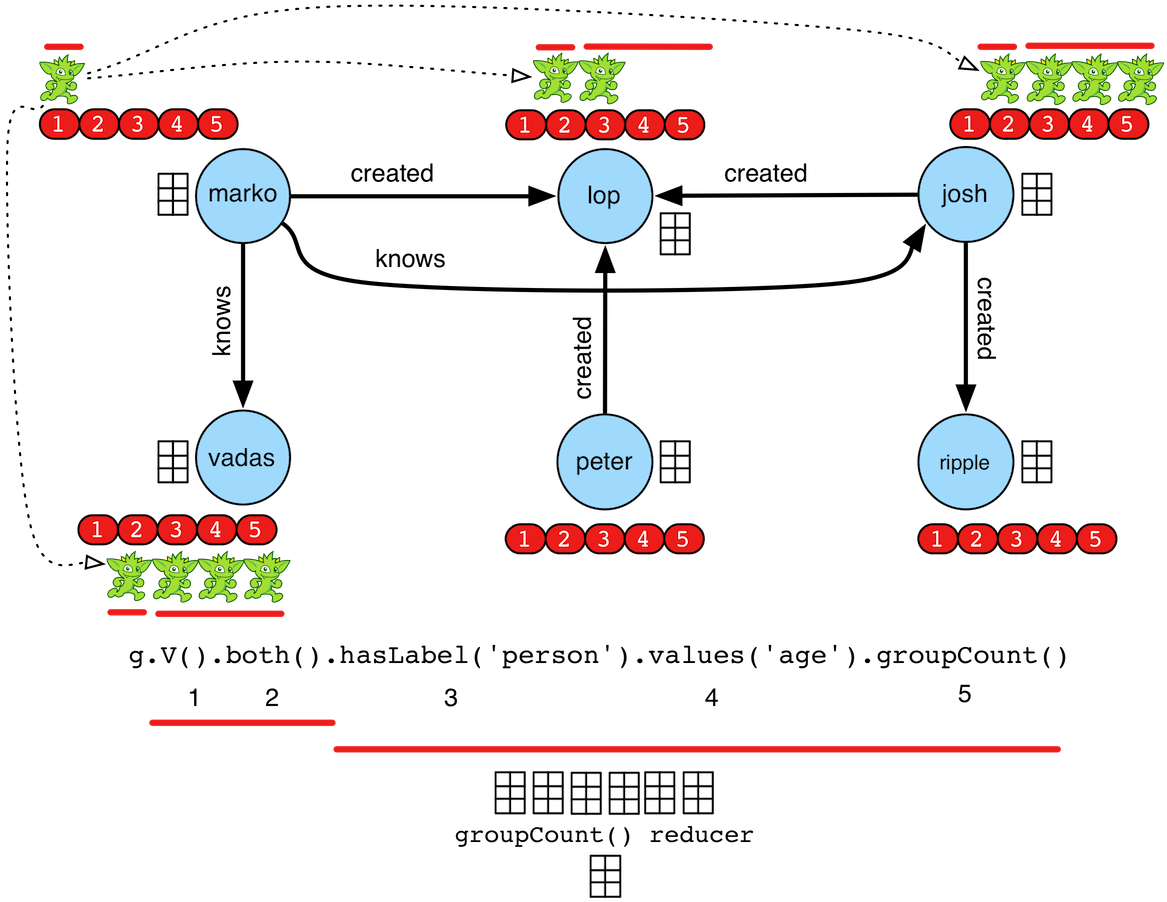
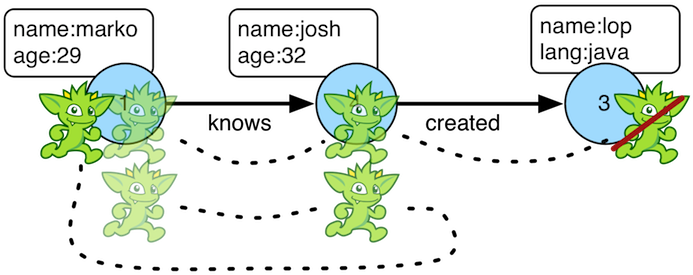
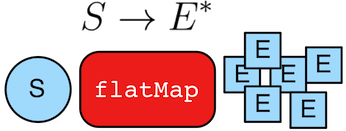
Character Scene Graphics
Character scene graphics require permission before being used. Please ask for permission on the Apache TinkerPop developer mailing list.
|
|
|